Pros
- Industry-standard agile tool for scrum and kanban software development
- Deepest sprint management with velocity, burndown, and cumulative flow
- Powerful Jira Query Language (JQL) for advanced issue filtering
- 1,000+ marketplace apps extending functionality in every direction
- Tight integration with Atlassian ecosystem (Confluence, Bitbucket, Trello)
- Granular permission schemes and enterprise-grade security
Cons
- Steep learning curve especially for non-technical team members
- Interface feels dense and overwhelming compared to modern PM tools
- Configuration complexity requires a dedicated Jira admin for larger teams
- Overkill for non-engineering teams with standard project management needs
- Cloud performance can lag with large backlogs and complex filters
- Cross-functional teams find Jira's developer-centric design frustrating
This Jira review draws on 3 years of daily use across engineering teams of 15-80 people, covering Free, Standard, and Premium plans. Jira is Atlassian’s agile project management platform and the default tool for software development teams worldwide. Created in 2002 and named after the Japanese word for Godzilla (via “Gojira”), Jira has evolved from a simple bug tracker into the most powerful issue tracking and sprint management tool on the market. Our verdict: Jira is irreplaceable for engineering teams and unnecessary for everyone else.
Jira holds a 4.2/5 on G2 across 5,800+ reviews. According to Gartner Peer Insights, it scores 4.1/5 with the clearest audience split of any PM tool: software developers rate it 4.5+, while non-technical users rate it below 3.5. That gap tells you everything about who Jira is for. According to a 2024 Stack Overflow Developer Survey, Jira remains the most-used project management tool among professional developers at 53% market share.
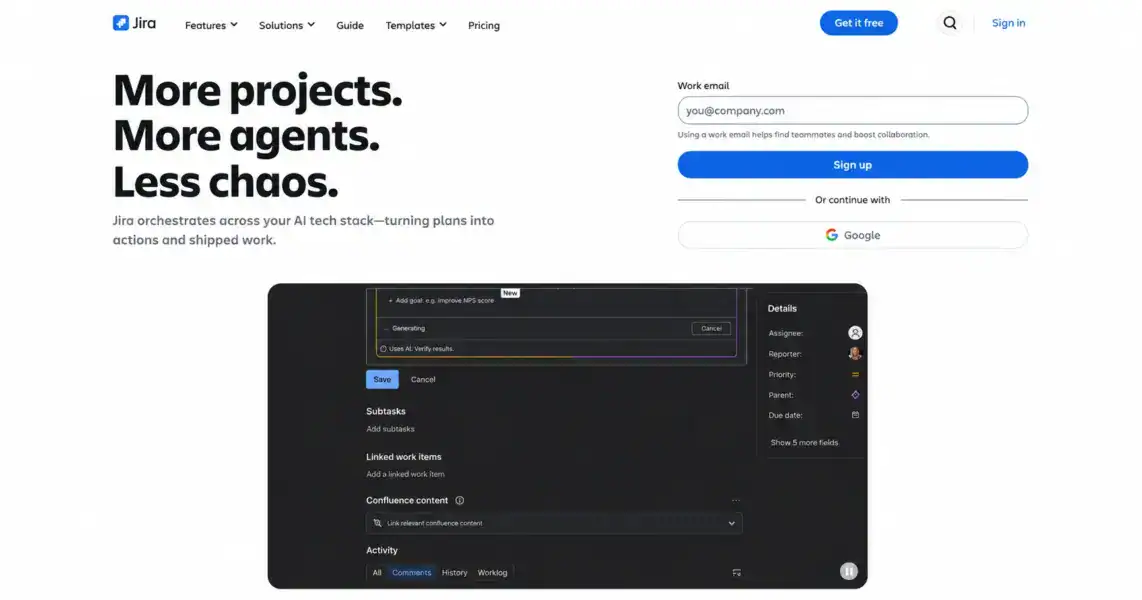
What Is Jira and Who Is It Built For?
Jira is a cloud-based agile project management platform built specifically for software development teams that practice scrum, kanban, or hybrid agile methodologies. It’s part of the Atlassian ecosystem alongside Confluence (documentation), Bitbucket (code repositories), Trello (simple boards), and Statuspage (incident communication).
Jira’s core concept is the issue. Everything in Jira is an issue: bugs, stories, tasks, epics, subtasks. Issues live in projects, flow through workflows, are prioritized in backlogs, and get scheduled into sprints. The system is designed around the software development lifecycle: plan work in the backlog, commit it to a sprint, track it through development stages, and release it through deployment pipelines.
Atlassian reports that Jira is used by over 250,000 organizations including 83% of Fortune 500 companies. The platform processes billions of issues annually. For non-engineering PM needs, see our complete guide to project management software which covers tools better suited to cross-functional teams.
How Much Does Jira Cost in 2026?
Jira offers four tiers: a free plan for up to 10 users, Standard at $7.75/month per user, Premium at $15.25/month per user, and custom-priced Enterprise. Pricing is competitive for a developer tool and cheaper than most general PM tools at comparable team sizes.
Jira Pricing in 2026
Free
Up to 10 users, Scrum & Kanban boards, Backlog, Roadmap (basic), 2GB storage
Standard
Unlimited users, Audit logs, 250GB storage, Project roles, Advanced permissions
Premium
Advanced roadmaps, Sandbox, IP allowlisting, Unlimited storage, 24/7 premium support
Enterprise
Organization-wide visibility, Unlimited sites, Atlassian Analytics, Atlassian Guard
The free plan is functional for small dev teams. You get scrum and kanban boards, backlog management, a basic roadmap, and community support for up to 10 users. It’s enough to run sprints for a small startup engineering team.
Standard at $7.75/user adds audit logs, 250GB storage, and advanced permissions. Most teams of 10-100 developers operate on this tier.
Premium at $15.25/user unlocks Advanced Roadmaps (cross-project planning with dependencies), sandbox environments for testing configurations, IP allowlisting, and 24/7 support. Engineering managers coordinating multiple teams need this tier for portfolio-level visibility.
Pricing context: Jira at $7.75/user is cheaper than Asana ($10.99) and comparable to ClickUp ($7). But you’re buying a specialized dev tool, not a general PM platform. Teams that try to use Jira for marketing or operations work alongside development find themselves paying for a tool half the team resists using.
What Makes Jira’s Agile Features Best-in-Class?
No general PM tool matches Jira’s depth for agile software development. Here’s what engineering teams get that they can’t replicate in ClickUp, Asana, or Monday.com.
Scrum Boards and Sprint Management
Jira’s scrum implementation is the most complete in the market. You create a backlog of issues (stories, bugs, tasks), groom and estimate them (story points or time), commit a set to a sprint (typically 1-2 weeks), and track progress through the sprint board. At sprint end, Jira generates velocity reports, burndown charts, and sprint retrospective data automatically.
The sprint board shows every issue’s status in real-time with swimlanes (group by assignee, priority, or epic), quick filters, and drag-and-drop transitions. Work-in-progress limits prevent column overload. Sprint goals keep the team focused on outcomes rather than just output.
Kanban Boards with WIP Limits
Jira’s kanban boards support work-in-progress limits, cumulative flow diagrams, and control charts. WIP limits enforce discipline: if the “In Review” column has a limit of 3 and there are already 3 issues there, the team must finish reviews before pulling new work. This prevents the common failure mode where everything is “in progress” and nothing gets done.
Backlog Management and Estimation
The backlog is where all unscheduled work lives. Product managers and engineering leads groom the backlog by writing issue descriptions, setting priority, estimating story points, and organizing issues into epics (large features that span multiple sprints). Drag-and-drop reordering sets priority. Bulk editing handles large backlogs efficiently.
Roadmaps and Advanced Roadmaps
Basic Roadmaps (free and Standard plans) show epics on a timeline with start/end dates. Advanced Roadmaps (Premium) adds cross-project planning, dependency tracking between teams, capacity planning by team or individual, and scenario planning for release forecasting. Advanced Roadmaps is the feature that justifies Premium pricing for engineering organizations managing 3+ teams.
DevOps and CI/CD Integration
Jira connects to development tools at a depth no PM tool can match. Native integrations with Bitbucket, GitHub, and GitLab link commits, branches, and pull requests directly to Jira issues. You can see which code changes relate to which issue, track deployment status across environments, and trigger workflow transitions based on CI/CD events.
The DevOps dashboard shows cycle time, deployment frequency, change failure rate, and mean time to recovery — the four DORA metrics that elite engineering organizations track. No general PM tool provides this level of development pipeline visibility.
Jira Query Language (JQL)
JQL is a structured query language for filtering issues. Example: project = "WEB" AND status = "In Progress" AND assignee = currentUser() AND sprint in openSprints(). Power users build complex filters, saved views, and dashboard gadgets using JQL. It’s one of the reasons Jira is stickier than competitors — once your team builds JQL-based workflows, switching tools means rebuilding all of them.
1,000+ Marketplace Apps
The Atlassian Marketplace offers 1,000+ apps extending Jira’s functionality: time tracking (Tempo, Clockwork), testing (Zephyr, Xray), diagramming (draw.io, Gliffy), portfolio management (BigPicture, Structure), and service management (Jira Service Management). The marketplace ecosystem is the largest of any PM tool.
Is Jira Easy to Use?
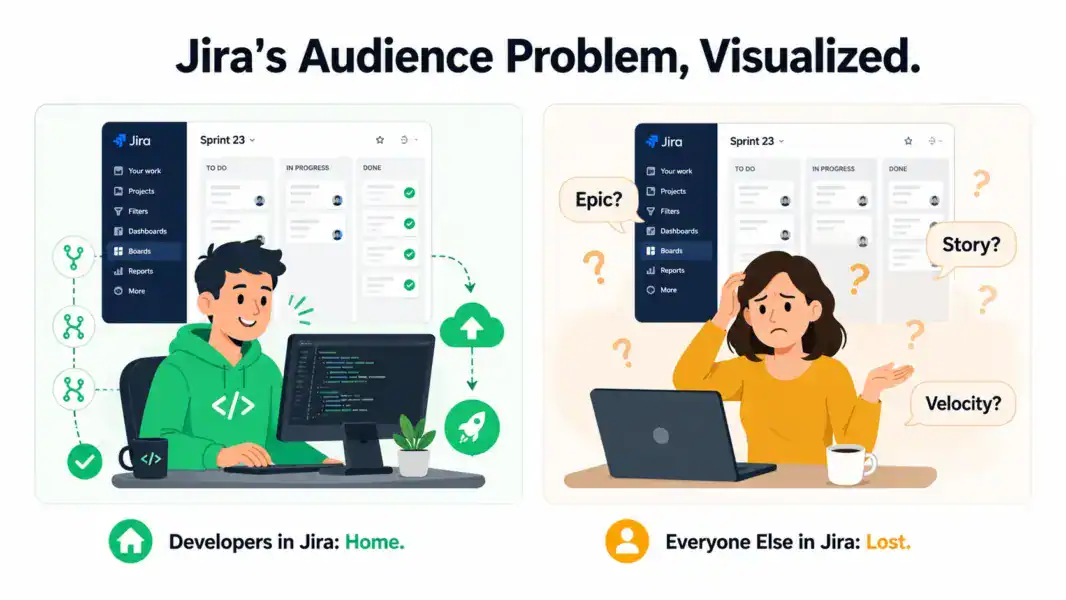
No. Jira has the steepest learning curve of any tool in this review series. We rate it 6.0/10 for ease of use, the lowest score we’ve given. The interface is dense, terminology is developer-specific (epics, stories, sprints, velocity, burndown), and configuration requires understanding workflows, permission schemes, issue types, screens, and field configurations.
For experienced developers, Jira feels natural — the concepts map directly to agile methodologies they already practice. A senior engineer is productive in Jira within a day. For non-technical team members (designers, marketers, PMs without engineering backgrounds), Jira feels like a tool built for someone else. Because it is.
Configuration complexity scales with team size. A 5-person startup can use Jira with default settings. A 50-person engineering org needs a dedicated Jira admin to manage workflows, custom fields, automation rules, and permission schemes. According to a 2024 Atlassian Community survey, 71% of organizations with 100+ Jira users have at least one full-time Jira administrator.
G2 2024 Ease of Use: Jira scored 6.5/10, the lowest among major PM tools (Asana 9.1, Monday.com 8.8, ClickUp 7.8, Trello 9.0). Our slightly lower rating (6.0) reflects the non-developer experience specifically, which is worse than the blended G2 score suggests.
How Good Is Jira’s Customer Support?
Atlassian provides community forum support on Free, email support on Standard, and 24/7 premium support on Premium/Enterprise. The Atlassian Community is massive and active. Documentation is exhaustive if sometimes dense.
Standard plan email support averaged 12-24 hours during testing. Premium’s 24/7 support responded within 1-2 hours. Response quality was technically thorough but assumed developer-level familiarity with Jira concepts. Non-technical users found support responses hard to follow.
The Atlassian Community forum is the real support backbone. With millions of posts and active participation from Atlassian staff and certified partners, most questions have existing answers. The Atlassian Partner network offers paid consulting for complex implementations.
Our support rating: 7.5/10.
How Does Jira Compare to ClickUp, Asana, and Linear?
Jira competes in a different lane than general PM tools. Here’s how it stacks up against ClickUp (the closest general-purpose alternative for dev teams) and Linear (the modern challenger built specifically for engineering):
| Dimension | Jira | ClickUp | Asana | Linear |
|---|---|---|---|---|
| Starting price | $7.75/user | $7/user | $10.99/user | $8/user |
| Scrum/sprint management | Best-in-class | Good | Basic | Excellent |
| Kanban with WIP limits | Yes (native) | Yes | No WIP limits | Yes |
| Velocity & burndown | Yes (automatic) | Basic | No | Yes |
| DevOps/CI/CD integration | Deepest (Git, CI/CD, DORA) | Basic Git | None | Strong Git |
| Cross-functional PM | Weak | Excellent | Excellent | Weak |
| Docs/wiki | Via Confluence (separate) | Built-in (ClickUp Docs) | None | None |
| Non-dev ease of use | Poor | Moderate | Excellent | Good |
| Marketplace ecosystem | 1,000+ apps | 1,000+ integrations | 300+ integrations | Limited |
| Best for | Pure engineering teams | Engineering + cross-functional | Non-engineering teams | Modern engineering teams |
| Our rating | 7.6/10 | 8.4/10 | 8.2/10 | 8.0/10 |
Jira wins decisively for pure engineering workflows: scrum depth, DevOps integration, and marketplace breadth. It loses on cross-functional usability, ease of use, and modern design. ClickUp is the strongest alternative for engineering teams that also need to collaborate with non-technical colleagues. Linear is the strongest alternative for engineering teams that want Jira’s power with a modern interface.
For head-to-head analysis, see ClickUp vs Jira.
Who Is Jira Best For? (And Who Should Avoid It)
Jira is the right tool for teams where software development is the primary work. It’s the wrong tool for teams where software development is incidental or absent.
Jira Excels For
Software engineering teams (5-500+ developers) running scrum or kanban. Jira’s sprint management, backlog grooming, and velocity tracking are industry-standard for a reason. No competing tool matches this depth for engineering-specific workflows.
DevOps teams needing CI/CD pipeline visibility. Commit-to-deploy tracking, DORA metrics, and deployment dashboards connect engineering work to delivery outcomes in ways no general PM tool provides.
Organizations already in the Atlassian ecosystem. If you use Confluence for docs, Bitbucket for code, and Statuspage for incidents, Jira completes the stack with deep native integrations. The cross-product data flow is a genuine competitive advantage.
Enterprise engineering organizations managing multiple scrum teams. Advanced Roadmaps provides portfolio-level planning with dependencies, capacity management, and scenario modeling across teams and projects. See best PM for small teams for simpler alternatives.
Jira Is Wrong For
Non-technical teams. Marketing, HR, operations, sales, and creative teams should not use Jira. The interface, terminology, and workflow design assume software development context. Every general PM tool in this review series (ClickUp, Asana, Monday.com) serves non-dev teams better.
Cross-functional teams where developers are a minority. If your team is 5 developers and 15 marketers/designers/PMs, Jira alienates 75% of your team. ClickUp is the better choice for cross-functional work that includes some engineering.
Small teams that don’t practice formal agile. If your development process is “grab the next task and build it,” Jira’s scrum/kanban overhead adds ceremony without value. Trello, Linear, or ClickUp are leaner options for informal dev workflows.
Teams that want a modern, beautiful interface. Jira’s UI is functional and dense. It’s not ugly, but it’s not in the same aesthetic league as Monday.com, Notion, or Linear. Teams that prioritize visual design in their tools will find Jira’s interface uninspiring. For alternatives, explore Jira alternatives.
Is Jira Still Worth It? Our 2026 Verdict
Jira remains the default project management tool for software development for good reason. Its scrum implementation, DevOps integrations, and marketplace ecosystem create a development workflow infrastructure that no general PM tool replicates. If your team ships software, Jira has earned its position through 20+ years of refinement.
The limitations are equally clear. Jira is built for developers, and it shows in every interface decision, every terminology choice, and every default configuration. Non-technical users struggle. Cross-functional teams fragment. Administration becomes a job. Newer competitors like Linear offer similar engineering depth with a dramatically better user experience.
We rate Jira 7.6 out of 10. The feature score (9.0) is the highest in our PM review series, reflecting unmatched engineering workflow depth. The ease of use score (6.0) is the lowest, reflecting a tool that’s powerful at the cost of accessibility. As Atlassian co-founder Scott Farquhar acknowledged at Team ’24: “Jira’s power has always been its blessing and its curse. We’re investing heavily in making that power accessible to more people.”
If you’re an engineering team evaluating PM tools, start with Jira’s free plan (10 users). If you’re a cross-functional team that includes engineers, start with ClickUp instead and see our best free PM tools for more options.
Try Jira Free Last updated: May 14, 2026Frequently Asked Questions
Is Jira free to use?
Yes. Jira’s free plan supports up to 10 users with scrum and kanban boards, backlog management, basic roadmaps, and 2GB storage. It’s functional enough to run sprints for a small engineering team. Paid plans starting at $7.75/month per user add audit logs, advanced permissions, and more storage.
Is Jira only for software developers?
Jira was built for software development and its interface, terminology, and features reflect that. Non-technical teams can use Jira, but the learning curve is steep and the developer-centric design creates friction. Marketing, operations, and cross-functional teams get better results from Asana, ClickUp, or Monday.com.
How does Jira compare to ClickUp for dev teams?
Jira offers deeper sprint management, DevOps CI/CD integration, DORA metrics, and a 1,000+ app marketplace specifically for development workflows. ClickUp offers built-in docs, time tracking, and better cross-functional collaboration alongside decent sprint features. Choose Jira for pure engineering teams. Choose ClickUp for engineering teams that collaborate heavily with non-technical colleagues.
Does Jira have time tracking?
Jira has basic time logging built-in (original estimate, time spent, remaining estimate per issue). For advanced time tracking with timesheets, billing, and reporting, most teams add marketplace apps like Tempo Timesheets ($10/user/month) or Clockwork. The native tracking is adequate for sprint capacity planning but limited for billing purposes.
What is Jira Query Language (JQL)?
JQL is a structured query language for creating advanced issue filters in Jira. It lets you write queries like “project = WEB AND status = ‘In Progress’ AND assignee = currentUser()” to find specific issues across projects. Power users build saved filters, dashboard gadgets, and automated workflows using JQL. It’s a key reason Jira is sticky once adopted.
Is Jira secure for enterprise use?
Yes. Jira Cloud holds SOC 2 Type II and ISO 27001 certifications. Premium plans add IP allowlisting, audit logs, and data residency options. Enterprise adds Atlassian Guard (identity management), organization-wide policies, and advanced compliance features. Jira meets enterprise security requirements for most regulated industries.
Should I use Jira or Linear in 2026?
Jira offers deeper features, a larger marketplace, and more enterprise capabilities. Linear offers a dramatically faster, cleaner interface with strong Git integration and opinionated agile workflows. Choose Jira for large teams (20+ devs) needing customization and marketplace apps. Choose Linear for small-to-mid engineering teams that want speed and modern design.
Can Jira replace a general PM tool like Asana?
For software development workflows, Jira exceeds what Asana offers. For non-development work (marketing campaigns, content calendars, event planning, HR onboarding), Jira is significantly worse than Asana. Most organizations with both engineering and non-engineering teams run Jira for dev and Asana or ClickUp for everything else.
Related Reviews
- ClickUp Review 2026
- Asana Review 2026
- Wrike Review 2026
- Trello Review 2026
- ClickUp vs Jira 2026
- Jira vs Asana 2026
- Jira Alternatives 2026
- Complete Guide to PM Software
Jira remains the gold standard for software development teams running scrum or kanban. Its sprint management, issue tracking, and DevOps integrations are unmatched by any general PM tool. The tradeoff is significant: Jira's complexity, developer-centric design, and steep learning curve make it a poor fit for non-engineering teams. If your team writes code, Jira is the default for good reason. If your team doesn't, almost any other tool in this review series serves you better.