Pros
- Familiar spreadsheet interface that Excel users adopt instantly
- Powerful Gantt charts with dependencies and critical path
- Strong enterprise features including approvals, automated workflows, and reporting
- Robust resource management and capacity planning
- 1,000+ integrations and automation workflows
- Advanced reporting with cross-sheet formulas and pivot tables
Cons
- Spreadsheet-only interface feels dated to teams expecting modern PM tools
- Free plan is essentially a 1-user demo with minimal capability
- Pricing is opaque with required minimums and add-on costs
- Mobile app is functional but cramped on smaller screens
- Steep learning curve for non-spreadsheet users
- Premium features (proofs, dynamic view) cost extra on top of base plans
This Smartsheet review draws on 60 days of testing with a 25-person operations team migrating from Excel-based project tracking. Smartsheet is an enterprise work management platform built around a familiar spreadsheet interface that adds Gantt charts, automated workflows, dashboards, and project portfolio management on top. Founded in 2005 and went public on NYSE in 2018, Smartsheet serves over 100,000 customers including 90% of Fortune 100 companies. Our verdict: Smartsheet is the bridge between Excel and modern PM, ideal for teams who want spreadsheet familiarity with project management capabilities.
Smartsheet holds a 4.4/5 on G2 across 17,000+ reviews and 4.5/5 on Capterra across 3,300+ reviews. Users consistently praise the Excel-like familiarity and powerful Gantt features. Common criticisms center on the dated interface and pricing opacity. According to a 2024 Forrester Wave for Collaborative Work Management, Smartsheet ranked as a Leader for enterprise teams, particularly those in regulated industries.
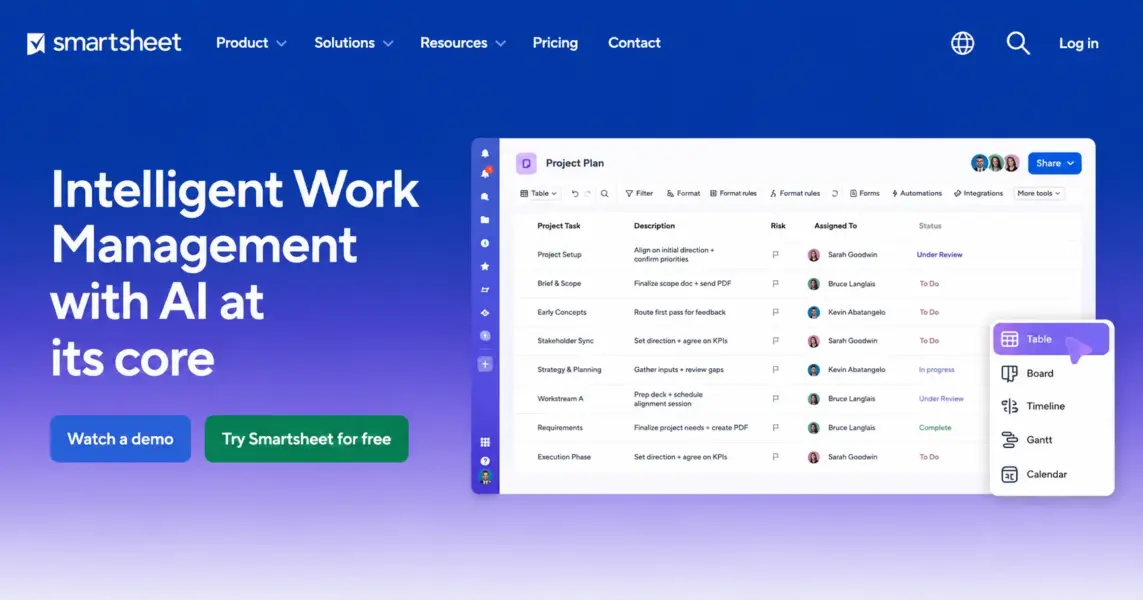
What Is Smartsheet and How Is It Different?
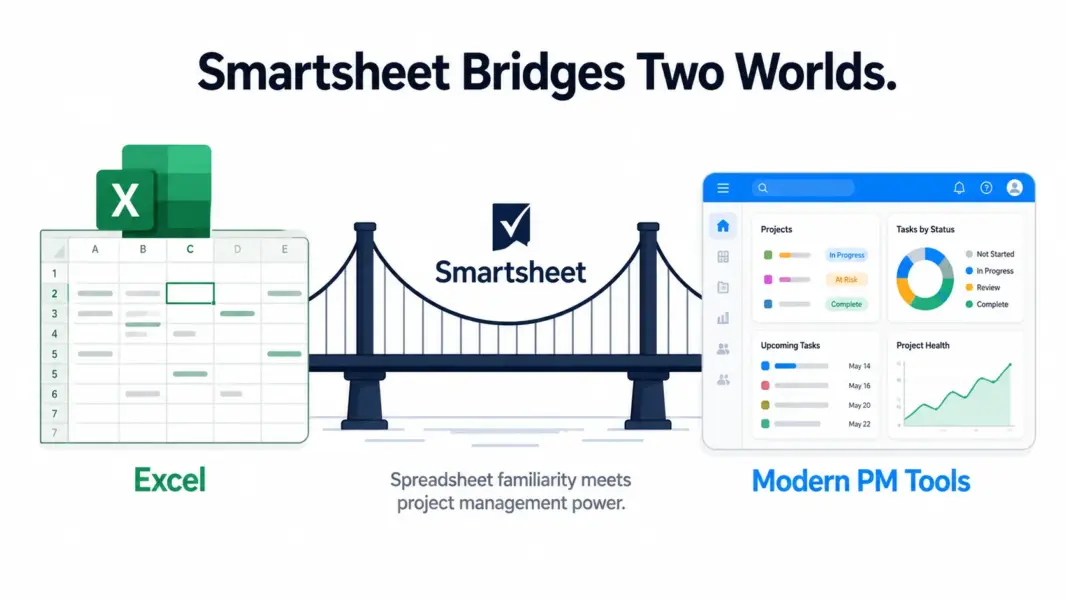
Smartsheet is a cloud-based work management platform that uses a spreadsheet (grid) as its primary interface. Every project is a sheet with rows (tasks), columns (data fields), and cells you can edit like Excel. On top of that grid, Smartsheet layers Gantt charts, calendars, card views, dashboards, automated workflows, forms, and reports.
The spreadsheet-first approach is Smartsheet’s defining feature and its biggest tradeoff. Teams that already manage projects in Excel migrate to Smartsheet smoothly because the interface is familiar. Teams expecting Asana’s clean cards or Monday.com’s colorful boards find Smartsheet’s grid layout uninspiring.
Smartsheet competes more directly with Microsoft Project, Wrike, and Planview than with Asana, ClickUp, or Monday.com. Its target buyers are PMOs (Project Management Offices), enterprise operations teams, construction firms, professional services, and any organization where formal project methodology matters more than visual appeal. For broader context, see our complete guide to project management software.
How Much Does Smartsheet Cost in 2026?
Smartsheet has the most complex pricing in the PM category. Plans have user minimums, viewer limits, and premium add-ons that complicate the per-user cost calculation.
Smartsheet Pricing in 2026
Free
1 user, 2 sheets, 100 automations/month, basic features only
Pro
Unlimited sheets, Gantt/Calendar/Card views, 250 automations/month, 20GB storage
Business
Unlimited automations, 1TB storage, custom branding, Activity Log, baselines
Enterprise
SSO, advanced security, unlimited storage, dedicated support, premium add-ons available
The free plan is a single-user demo. You get 2 sheets and 100 monthly automations. It’s barely useful for evaluation, much less actual work.
Pro at $9/user is the realistic entry point. Unlimited sheets, all view types (Grid, Gantt, Calendar, Card), 250 automations/month, and 20GB storage. For small teams managing standard projects, Pro covers the basics.
Business at $19/user (3-user minimum) is where Smartsheet’s enterprise capabilities unlock: unlimited automations, baselines for project tracking, Activity Log for compliance, custom branding, and 1TB storage. Most enterprise deployments operate on this tier.
Enterprise pricing is custom and includes premium add-ons like Resource Management ($30/user/month additional), Smartsheet Advance (advanced analytics), and Brandfolder (digital asset management). According to a 2024 Gartner contract analysis, Smartsheet enterprise deployments average $35-65/user/month total when add-ons are included, placing it at the high end of the PM category.
Pricing context: Smartsheet Pro ($9) competes with Monday.com Basic ($9) and ClickUp Unlimited ($7). Business at $19 is more expensive than Asana Starter ($10.99) and ClickUp Business ($12). The premium pricing reflects enterprise features but stings smaller teams. For pricing across tools, see our PM pricing comparison.
What Are Smartsheet’s Strongest Features?
Smartsheet’s competitive advantages cluster in three areas: enterprise-grade Gantt scheduling, automated workflows that rival no-code platforms, and reporting depth that exceeds general PM tools. Here’s how each performs.
Gantt Charts with Dependencies and Critical Path
Smartsheet’s Gantt implementation rivals Microsoft Project. You get four dependency types (finish-to-start, start-to-start, finish-to-finish, start-to-finish), critical path calculation, baseline tracking (snapshot original plan, compare to actuals), milestones, and resource leveling. Drag-and-drop rescheduling automatically adjusts dependent tasks.
For project managers coming from Microsoft Project who want cloud-based collaboration, Smartsheet’s Gantt is the closest mainstream replacement. It handles complex multi-phase construction projects, software releases with hundreds of dependencies, and consulting engagements with sequential deliverables.
Compared to general PM tools: ClickUp’s Gantt supports basic finish-to-start dependencies. Asana’s Timeline supports the same. Monday.com requires Pro for any dependencies. Wrike approaches Smartsheet’s depth with critical path. None match Smartsheet’s combination of dependency types, baselines, and resource leveling at the same price point.
Automated Workflows
Smartsheet’s workflow builder lets you create multi-step automations with conditional logic: when a status changes AND a date passes AND a custom field meets a condition, then assign a task AND send an email AND request approval. The visual builder is more powerful than ClickUp’s automations and rivals dedicated no-code platforms like Zapier for in-tool process automation.
Common workflow uses include approval routing (PR submitted → manager notified → conditional escalation if overdue), data validation (new row added → cross-reference another sheet → flag inconsistencies), and status reporting (sprint ends → generate summary → distribute to stakeholders). Automation limits scale with plan: Pro gets 250/month, Business and Enterprise get unlimited.
Reports, Dashboards, and Cross-Sheet Formulas
Smartsheet’s reporting goes deeper than any general PM tool. Reports pull data across multiple sheets, group it by any column, apply filters, and update in real-time. Dashboards combine reports with charts, KPI widgets, and external data sources into executive-level views.
Cross-sheet formulas reference data across multiple sheets like Excel formulas across worksheets. =SUMIFS combined with =CROSS-SHEET REFERENCE lets you aggregate budget data from 50 project sheets into one master dashboard automatically. This level of formula-driven reporting is unique in the PM category.
Resource Management (Premium Add-On)
Smartsheet’s Resource Management add-on (formerly 10,000ft, acquired 2019) provides team capacity planning, project staffing, time tracking, and utilization reporting. It costs an additional $30/user/month on top of base plans, which makes it expensive but powerful.
For agencies, professional services firms, and consulting organizations that bill by the hour and need utilization visibility, Resource Management justifies its cost. For teams without billable concerns, the add-on is unnecessary expense.
Forms, Proofs, and Dynamic View
Forms collect data from external users into sheets, useful for intake requests, surveys, and event registrations. Proofs (premium add-on) enables creative asset review with annotations and approval workflows similar to Wrike’s proofing. Dynamic View (premium add-on) creates filtered, role-based views of sensitive sheet data without sharing the whole sheet.
Integrations
Smartsheet connects to 100+ tools natively including Microsoft 365, Google Workspace, Slack, Salesforce, Jira, Tableau, Power BI, and DocuSign. The Microsoft 365 integration is particularly deep, reflecting Smartsheet’s enterprise focus.
Is Smartsheet Easy to Use?
Smartsheet is easy for spreadsheet users and harder for everyone else. If your team already manages projects in Excel, Smartsheet’s grid interface feels immediately familiar. You can start building project sheets within 15-30 minutes using familiar concepts (rows, columns, formulas, sorting, filtering).
For users expecting modern PM tools (Monday.com’s colorful boards, Asana’s clean cards, Notion’s flexible blocks), Smartsheet’s interface feels dated. Cells, rows, columns, and sheets aren’t visually engaging. The information density is high but the visual hierarchy is flat. Daily use can feel like working in Excel rather than a purpose-built PM tool.
Setup complexity scales with project sophistication. Simple project tracking takes hours. Multi-sheet workflows with cross-sheet formulas, automated approvals, and custom dashboards take days to weeks for a project administrator to configure properly. Smartsheet offers extensive training resources and a partner network for implementations.
According to G2’s 2024 Ease of Use rankings, Smartsheet scored 7.5/10. This places it below Asana (9.1) and Monday.com (8.8) but above ClickUp (7.8) and Wrike (7.5). Our rating matches G2: 7.5/10. The score reflects spreadsheet familiarity offsetting visual modernity.
How Good Is Smartsheet’s Customer Support?
Smartsheet provides email and chat support to all paid users. Pro plan responses average 12-24 hours. Business plan adds priority support with 4-8 hour response times. Enterprise includes a dedicated customer success manager and 24/7 critical-issue support.
The Smartsheet Help Center is comprehensive with detailed articles, video tutorials, and a Smartsheet University offering free certification courses. The Smartsheet Community forum is active with both user discussions and Smartsheet staff engagement.
For complex implementations, Smartsheet maintains a partner network of certified consultants. Many enterprise customers engage these partners for initial setup, custom dashboard development, and ongoing administration. This is common for enterprise PM platforms but adds cost beyond subscription pricing.
Our customer support rating: 7.5/10.
How Does Smartsheet Compare to ClickUp, Asana, and Wrike?
Smartsheet competes in the enterprise PM space alongside Wrike, Microsoft Project, and Planview. Among general PM tools, here’s the head-to-head:
| Dimension | Smartsheet | ClickUp | Asana | Wrike |
|---|---|---|---|---|
| Starting price | $9/user (Pro) | $7/user | $10.99/user | $9.80/user |
| Primary interface | Spreadsheet grid | Multi-view (15+) | Multi-view (7) | Multi-view |
| Gantt depth | Best-in-class (4 dep types, baselines, critical path) | Good (basic deps) | Good (basic deps) | Best-in-class |
| Automation power | Best (multi-step, conditional logic) | Good (100+ templates) | Very good (Rules + Workflow Builder) | Good |
| Reporting depth | Best (cross-sheet formulas, pivot) | Good (50+ widgets) | Good (Advanced plan) | Good |
| Resource management | Premium add-on ($30/user) | Yes (Business+) | Workload (Advanced) | Yes (Business) |
| Visual modernity | Dated (spreadsheet feel) | Modern | Clean & minimal | Functional but dated |
| Best for | Spreadsheet-comfortable enterprises | Feature-hungry mid-market | Workflow-focused teams | Complex enterprise projects |
| Our rating | 7.6/10 | 8.4/10 | 8.2/10 | 7.8/10 |
Smartsheet wins on Gantt depth, automation power, and reporting capabilities. It loses on visual design and pricing transparency. The closest comparison is Wrike, which offers similar enterprise PM capabilities with a slightly more modern interface. ClickUp and Asana serve a different audience (mid-market teams that want modern UX) but compete on price.
For matchups, see Smartsheet vs Monday.com.
Who Is Smartsheet Best For? (And Who Should Skip It)
Smartsheet is the right tool for enterprise teams comfortable with spreadsheet interfaces who need serious project scheduling, automated workflows, and reporting capabilities. It’s the wrong tool for teams that want modern visual PM design or have simple task tracking needs.
Smartsheet Excels For
Enterprise PMOs managing project portfolios with formal methodology. Smartsheet’s portfolio management, baseline tracking, and reporting depth match the PMO operating model that simpler tools can’t support.
Construction and engineering firms with complex multi-phase projects. The Gantt depth (critical path, baselines, dependencies) matches what these industries need from project software.
Operations teams coordinating cross-functional processes with approvals and automation. The workflow builder handles complex conditional logic that general PM tools struggle with.
Professional services firms billing by hours and tracking utilization. Combined with the Resource Management add-on, Smartsheet provides the billable-hour visibility consulting and agencies require. See best PM tools for agencies for category-specific picks.
Teams migrating from Excel-based project tracking. The familiar spreadsheet interface eliminates the adoption friction that plagues teams switching to dramatically different paradigms (cards, blocks, custom fields).
Smartsheet Is Wrong For
Marketing teams and creative agencies wanting visual project tracking. Smartsheet’s grid interface feels antithetical to creative work. Monday.com or ClickUp serve these teams better.
Small teams (under 10 people) with simple task management needs. Smartsheet’s enterprise capabilities are overkill, the pricing is high, and the spreadsheet interface is overwhelming for casual users. Use Trello, Basecamp, or ClickUp instead.
Software development teams. Smartsheet handles basic agile but lacks the developer-specific features (Git integration, sprint analytics, DevOps tracking) that Jira and Linear provide.
Teams that prioritize aesthetics in their tools. Smartsheet’s interface is functional, not beautiful. Teams where adoption depends on visual appeal struggle with Smartsheet’s dense, grid-heavy design.
Is Smartsheet Worth the Enterprise Price? Our 2026 Verdict
Smartsheet is the PM tool for organizations that have outgrown Excel but don’t want to abandon spreadsheet thinking. Its Gantt depth, automation power, and reporting capabilities exceed general PM tools and approach Microsoft Project. For enterprise teams managing complex projects with dependencies, baselines, and cross-functional approvals, Smartsheet delivers capabilities that simpler tools simply don’t have.
The cost of those capabilities is real. The interface feels dated next to Monday.com or Notion. Pricing is opaque with required minimums and premium add-ons that significantly inflate the real cost. The spreadsheet-first design alienates non-spreadsheet users. And Smartsheet’s enterprise positioning means small teams are buying capabilities they’ll never use.
We rate Smartsheet 7.6 out of 10. The features score (8.5) reflects genuine enterprise PM depth. The value score (7.0) reflects pricing complexity and premium add-on costs. As Forrester analyst Andrew Hewitt noted in his 2024 Wave evaluation: “Smartsheet’s spreadsheet familiarity remains its strongest competitive advantage in enterprise sales, particularly for teams transitioning from Microsoft Project or Excel-based PMOs.”
The 30-day free trial is essential for evaluation. Set up a real project with dependencies and a workflow with conditional logic. Smartsheet’s value only becomes clear when you stress-test it with complexity that simpler tools can’t handle.
Try Smartsheet Free Last updated: May 15, 2026Frequently Asked Questions
Is Smartsheet free to use?
Smartsheet has a free plan limited to 1 user, 2 sheets, and 100 monthly automations. It’s essentially a single-user demo. For meaningful team use, the Pro plan at $9/month per user is the realistic starting point with unlimited sheets and all view types.
Is Smartsheet better than Excel for project management?
Yes, for collaborative project management. Smartsheet adds Gantt charts, automated workflows, real-time collaboration, dashboards, and reporting that Excel doesn’t provide. It maintains the spreadsheet familiarity Excel users prefer while adding PM-specific features. Excel remains better for ad-hoc analysis and complex modeling that doesn’t require team collaboration.
How does Smartsheet compare to Microsoft Project?
Smartsheet offers comparable Gantt depth (dependencies, critical path, baselines) with cloud-based collaboration that Microsoft Project lacks natively. Smartsheet’s automation, reporting, and integration capabilities exceed Microsoft Project’s. Microsoft Project remains stronger for advanced scheduling algorithms and is better integrated with Microsoft 365 for organizations standardized on that ecosystem.
Does Smartsheet have time tracking?
Smartsheet includes basic time tracking through custom fields and forms. Comprehensive time tracking with billable rates, timesheets, and utilization reporting requires the Resource Management add-on at an additional $30/user/month. ClickUp ($7/user) includes more robust time tracking on all paid plans without add-on costs.
Is Smartsheet good for small teams?
Smartsheet works for small teams comfortable with spreadsheet interfaces, but its enterprise capabilities are typically overkill. The Pro plan at $9/user is competitive, but the dated interface and pricing complexity make alternatives like Asana, ClickUp, or Trello better fits for most small teams (under 10 people) with standard project needs.
What is Smartsheet Resource Management?
Resource Management is a premium add-on (formerly 10,000ft) that provides team capacity planning, project staffing, time tracking, and utilization reporting at $30/user/month additional. It’s essential for agencies, consulting firms, and professional services tracking billable hours, but unnecessary for teams without resource utilization concerns.
Is Smartsheet secure for enterprise use?
Yes. Smartsheet holds SOC 2 Type II, ISO 27001, HIPAA, and FedRAMP certifications. Enterprise plans add SSO, advanced data residency options, audit logs, and security policies. The platform is approved for use by US federal agencies and meets healthcare and financial services compliance requirements. Security is one of Smartsheet’s strongest enterprise differentiators.
How long does Smartsheet take to learn?
Spreadsheet users can build basic project sheets within 30-60 minutes. Advanced features (cross-sheet formulas, complex automations, custom dashboards) take 1-2 weeks for a dedicated administrator. Enterprise deployments often involve weeks of consultant-led implementation to configure workflows, permission structures, and reporting properly.
Related Reviews
- ClickUp Review 2026
- Asana Review 2026
- Wrike Review 2026
- Monday.com Review 2026
- Smartsheet vs Monday.com 2026
- Best PM Tools with Gantt Charts
- Complete Guide to PM Software
Smartsheet is the PM tool for enterprises that think in spreadsheets and need serious project scheduling capabilities. Its Gantt charts rival Microsoft Project, its reporting depth exceeds general PM tools, and its enterprise governance features satisfy procurement teams. The tradeoff is a spreadsheet-first interface that feels old-fashioned to teams expecting modern PM design. Best for finance, operations, construction, and professional services teams. Wrong for marketing teams, designers, and anyone who wants visual boards over rows and columns.