Pros
- Powerful Gantt charts with dependencies, critical path, and resource leveling
- Strong enterprise features including proofing, approvals, and custom workflows
- Cross-tagging lets tasks live in multiple projects without duplication
- 400+ integrations including deep Adobe Creative Cloud connection
- Granular permission controls and robust security certifications
- Built-in time tracking on all paid plans
Cons
- Interface feels dated and cluttered compared to Monday.com and Asana
- Steeper learning curve than most mid-market competitors
- Free plan limited to 5 users with minimal features
- Pricing jumps sharply between tiers especially Business to Enterprise
- Mobile app is functional but significantly less capable than desktop
- Reporting requires Business tier or higher for meaningful insights
This Wrike review is based on 60 days of testing with a 30-person marketing operations team, covering the Team plan ($9.80/user) through Business ($24.80/user). Wrike is an enterprise-focused project management platform owned by Citrix (acquired 2021 for $2.25 billion) that specializes in complex project scheduling, creative proofing workflows, and granular permission controls. Our verdict: Wrike handles complex, cross-functional projects better than Asana or Monday.com, but its dated interface and steep pricing curve make it a harder sell for teams with simpler needs.
Wrike holds a 4.2/5 on G2 across 3,700+ reviews, with enterprise users rating it higher than SMB users. According to Gartner Peer Insights, Wrike scores 4.3/5 based on 1,500+ reviews, with professional services and marketing operations teams providing the strongest endorsements. The split tells a story: Wrike rewards complexity and punishes teams that don’t need it.
What Is Wrike and Who Is It Built For?
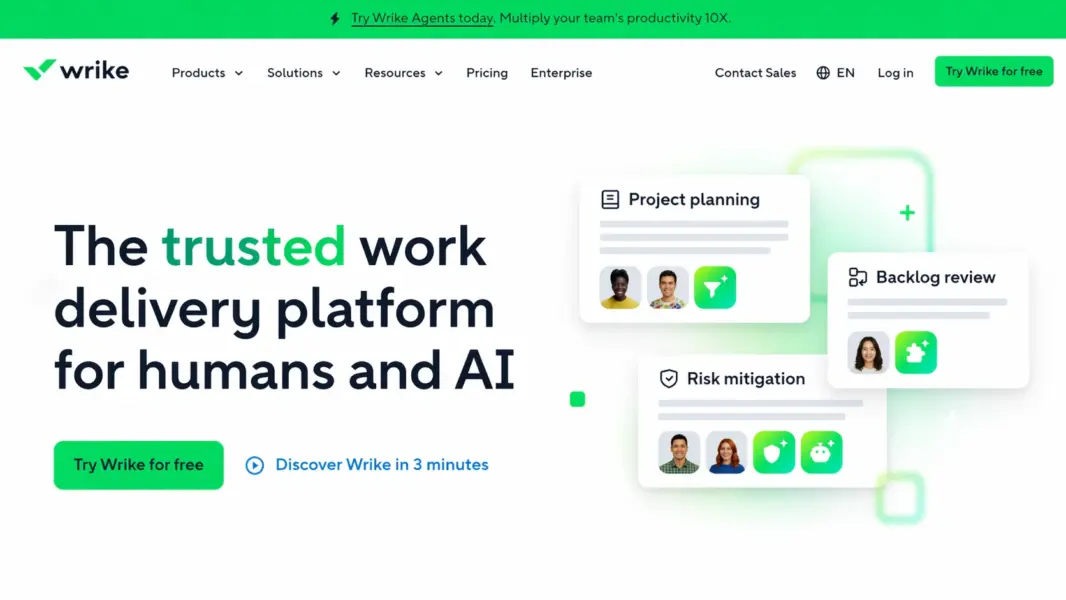
Wrike is a cloud-based project management and work management platform built for mid-to-large organizations managing complex, cross-functional projects with dependencies, approval chains, and resource constraints. Founded in 2006 by Andrew Filev, Wrike was acquired by Citrix in 2021 and operates as a standalone product within the Citrix portfolio.
Wrike’s core audience is different from the other tools in this review series. Where ClickUp targets feature-hungry teams of any size, Asana targets workflow-focused mid-market teams, and Monday.com targets visual non-technical teams, Wrike targets teams that have outgrown those tools. Professional services firms, enterprise marketing departments, product development teams, and agencies with complex creative workflows are Wrike’s sweet spot.
The platform has over 20,000 customers including Google, Airbnb, Dell, Siemens, and Estée Lauder. That enterprise client roster signals both Wrike’s capability and its complexity. For broader PM tool context, see our complete guide to project management software.
How Much Does Wrike Cost in 2026?
Wrike offers five pricing tiers: a free plan for up to 5 users, a Team plan at $9.80/month per user, a Business plan at $24.80/month per user, and two custom-priced tiers (Enterprise and Pinnacle). Prices reflect annual billing. The gap between Team ($9.80) and Business ($24.80) is the steepest jump in the PM category.
Wrike Pricing in 2026
Free
Up to 5 users, Basic task management, Board view, Limited storage
Team
Unlimited projects, Gantt charts, Dashboards, 50 automations/mo, Time tracking
Business
Custom fields, Custom workflows, Proofing & approvals, 200 automations/mo, Resource management
Enterprise
SAML SSO, Custom roles, Advanced reporting, Audit logs, 1000 automations/mo
Pinnacle
Everything in Enterprise, Advanced analytics, Locked spaces, 1500 automations/mo
The free plan covers basic task management for up to 5 users. It’s functional for tiny teams trying Wrike but restrictive: no Gantt charts, limited integrations, minimal storage.
The Team plan at $9.80/user is competitive. You get unlimited projects, Gantt charts, dashboards, time tracking, and 50 monthly automations. For teams of 10-25 needing solid PM with Gantt capabilities, this tier offers good value against ClickUp ($7/user) and Asana ($10.99/user).
The Business plan at $24.80/user is where Wrike’s pricing becomes polarizing. It unlocks custom fields, custom workflows, proofing and approvals, resource management, and 200 monthly automations. These are features that ClickUp includes at $7-12/user and Asana includes at $10.99-24.99/user. Paying $24.80 for them feels steep unless you specifically need Wrike’s proofing workflows or advanced Gantt capabilities.
Enterprise and Pinnacle are custom-priced for organizations needing SAML SSO, advanced reporting, audit logs, and locked spaces. According to Gartner’s 2024 PM market guide, Wrike’s enterprise tier pricing is competitive with Planview and Smartsheet but 30-50% higher than Asana Enterprise for comparable seat counts.
What Are Wrike’s Strongest Features?
Wrike’s competitive advantages cluster in three areas: advanced Gantt scheduling that rivals Microsoft Project, creative proofing workflows that no other PM tool matches, and cross-tagging that eliminates task duplication across teams. Here’s how each performs.
Gantt Charts with Dependencies, Critical Path, and Baselines
This is Wrike’s flagship feature and the reason many teams choose it over Asana or Monday.com. Wrike’s Gantt chart supports finish-to-start, start-to-start, finish-to-finish, and start-to-finish dependencies. It calculates the critical path (the longest chain of dependent tasks determining the project’s minimum duration) and highlights it visually so project managers see exactly which delays will push the deadline.
Project baselines let you save a snapshot of the original plan and compare it against current progress. When a client asks “why is this two weeks late?”, baselines show exactly where the timeline shifted. Rescheduling is drag-and-drop with automatic dependent task adjustment.
For comparison: ClickUp’s Gantt supports basic finish-to-start dependencies. Asana’s Timeline supports the same. Monday.com requires the Pro plan ($16/seat) for basic dependencies. None of them offer critical path calculation, baselines, or multiple dependency types. If complex project scheduling is your primary need, Wrike is the strongest tool in the mid-market PM category.
Proofing and Approval Workflows
Wrike’s built-in proofing lets reviewers markup images, PDFs, videos, and HTML directly within the platform. You can draw annotations, leave comments pinned to specific locations, compare file versions side-by-side, and route assets through multi-stage approval chains.
This matters enormously for creative and marketing teams. Instead of emailing PDF markups, sharing Figma comment links, and tracking approvals in a spreadsheet, the entire review cycle happens inside the project where the task lives. Approval decisions (Approved, Changes Requested, Rejected) update task status automatically.
The Adobe Creative Cloud integration deepens this further. Designers can open Wrike tasks directly from Photoshop, Illustrator, or InDesign, make changes, and push updated versions back to Wrike for re-review without leaving their design tool. No other PM tool in this review series offers proofing at this depth.
Cross-Tagging: Tasks Living in Multiple Projects
Cross-tagging lets a single task appear in multiple projects and folders simultaneously without duplication. If a design task belongs to both the “Q3 Campaign” project and the “Design Team Capacity” view, it exists once but appears in both. Updates sync everywhere.
This is similar to Asana’s multi-homing feature but implemented differently. Wrike uses a folder and project structure where tasks can be tagged into multiple containers. The result is the same: eliminating the “which project is the real version?” problem that plagues tools requiring tasks to live in a single location.
Time Tracking, Resource Management, and Workload View
Time tracking is included on all paid plans, a significant advantage over Asana (none) and Monday.com (Pro plan only). You can start/stop timers, log time manually, add billing rates, and generate time reports by project, person, or client.
Resource management on the Business plan shows team capacity across projects. The Workload view displays each team member’s allocation by hours or effort points, making it easy to spot overallocation before it causes burnout or missed deadlines. Wrike’s resource management is more mature than what ClickUp or Asana offer at comparable pricing tiers.
Automations and Custom Workflows
Wrike’s automation engine uses a rule-based builder: when a trigger fires, an action executes. Common automations include status-based assignments, date adjustments, notifications, and approval routing. Custom workflows let you define status sequences per project type (e.g., creative briefs follow different stages than bug reports).
Monthly automation caps: Team gets 50, Business gets 200, Enterprise gets 1,000. These limits are lower than Monday.com’s (250/25K) and feel restrictive for automation-heavy teams. ClickUp’s 1,000/month on the $7 Unlimited plan makes Wrike’s 50/month on the $9.80 Team plan look stingy by comparison.
Integrations
Wrike connects to 400+ tools including Slack, Microsoft Teams, Google Workspace, Salesforce, Jira, GitHub, Adobe Creative Cloud, Tableau, Power BI, and Marketo. The Adobe Creative Cloud integration is the deepest in the PM category: bidirectional sync between design tools and project tasks.
Is Wrike Easy to Use?
Wrike’s interface is functional but dated. Compared to Monday.com’s colorful boards, Asana’s clean minimalism, or Notion’s elegant editor, Wrike feels like it was designed for power first and aesthetics second. The navigation requires learning a Spaces > Folders > Projects > Tasks hierarchy, and the density of menus, sidebars, and configuration options creates initial overwhelm.
New users typically need 1-2 weeks of active use before Wrike feels comfortable. Setting up custom workflows, configuring Gantt dependencies, and building dashboards require intentional learning. Wrike offers onboarding wizards and a solid library of training courses (Wrike Discover), but the time investment is real.
According to G2’s 2024 Ease of Use rankings, Wrike scored 7.5/10, placing it below Asana (9.1), Monday.com (8.8), and ClickUp (7.8). Our testing confirms: Wrike is not the tool you adopt in an afternoon. It’s the tool you grow into when simpler platforms stop meeting your needs.
Our ease of use rating: 7.0/10.
How Responsive Is Wrike’s Customer Support?
Wrike provides email and live chat support to all paid plan users. Enterprise and Pinnacle tiers include a dedicated account manager, premium support SLA, and custom onboarding. The Citrix acquisition brought additional enterprise support infrastructure.
During testing, live chat responses arrived within 10-20 minutes during business hours. Email support averaged 6-12 hours. Response quality was consistently specific and knowledgeable, particularly on Gantt configuration and workflow design questions. The support team clearly handles complex enterprise setups regularly, which shows in the depth of their answers.
The Wrike Help Center and Wrike Discover training platform are comprehensive. Community forums are modestly active. Wrike’s professional services team offers paid implementation support for large deployments, which is common in the enterprise PM space but unnecessary for small team setups.
Our customer support rating: 8.0/10.
How Does Wrike Compare to ClickUp, Asana, and Smartsheet?
Wrike occupies the space between mid-market PM tools (Asana, ClickUp) and enterprise project portfolio management tools (Smartsheet, Planview). Here’s how it stacks up on the dimensions that matter when evaluating tools at this level:
| Dimension | Wrike | ClickUp | Asana | Smartsheet |
|---|---|---|---|---|
| Starting price (per user/month) | $9.80 | $7 | $10.99 | $9 |
| Gantt depth | Best (critical path, baselines, 4 dep types) | Good (basic dependencies) | Good (basic dependencies) | Strong (similar to Wrike) |
| Proofing & creative review | Best-in-class built-in | None | None | Basic |
| Time tracking | All paid plans | All paid plans | None | None |
| Automation cap (entry paid tier) | 50/month | 1,000/month | Unlimited Rules | Unlimited |
| Ease of use (G2) | 7.5/10 | 7.8/10 | 9.1/10 | 7.5/10 |
| Adobe CC integration | Deep bidirectional | Basic | Basic | None |
| Best for | Complex enterprise projects | Feature-dense mid-market | Workflow-focused teams | Spreadsheet power users |
| Our rating | 7.8/10 | 8.4/10 | 8.2/10 | 7.6/10 |
Wrike wins on Gantt depth and creative proofing. It loses on pricing (Team-to-Business jump is brutal), ease of use, and automation limits. If your projects have complex dependencies and your teams review creative assets, Wrike is the strongest fit. If your needs are simpler, you’re paying for enterprise power you won’t use.
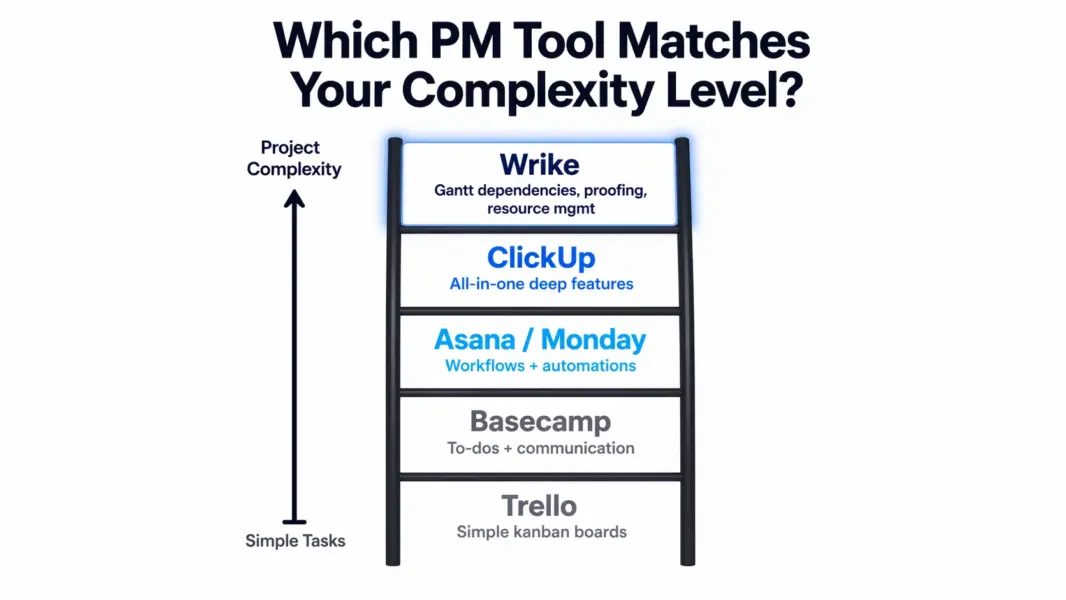
For head-to-head analysis, see our ClickUp vs Asana comparison for the mid-market alternatives.
Who Is Wrike Best For? (And Who Is Overpaying)
Wrike is the strongest choice for mid-to-large organizations (50-5,000 people) managing complex projects with dependencies, creative approval chains, and cross-functional resource constraints. It’s overkill for small teams with simple task tracking needs.
Wrike Excels For
Professional services firms managing multi-phase client engagements with dependencies, milestones, and billable time tracking. Wrike’s Gantt capabilities, time tracking, and resource management handle the complexity of overlapping client projects that simpler tools buckle under.
Marketing operations teams running complex campaign workflows with creative asset review. The proofing feature eliminates the email-PDF-feedback loop. The Adobe Creative Cloud integration keeps designers in their tools while staying connected to project tasks.
Enterprise PMOs needing project portfolio visibility, baseline tracking, and critical path analysis across multiple concurrent programs. Wrike’s project-level features rival Smartsheet and Microsoft Project but with a more modern interface and better collaboration features.
Teams with complex approval chains. Multi-stage approvals, conditional routing, and proofing workflows are Wrike’s unique strength. No other tool in the mid-market PM category handles creative review processes this well. See best PM tools for small teams for simpler alternatives.
Wrike Is Overkill For
Small teams (under 15 people) with straightforward projects. Wrike’s complexity creates overhead without payoff if your projects don’t have dependencies, proofing needs, or resource constraints. ClickUp or Monday.com deliver more for less at this scale.
Budget-conscious teams. The Team-to-Business pricing jump ($9.80 to $24.80/user) is a 153% increase. A 25-person team going from Team to Business increases their monthly cost from $245 to $620. ClickUp’s Business plan at $12/user gives comparable features at $300/month.
Teams prioritizing modern UI and fast adoption. Wrike’s interface hasn’t kept pace with Monday.com or Asana’s design quality. Teams where adoption depends on visual appeal and minimal onboarding will struggle with Wrike’s learning curve.
Software development teams. Wrike handles basic agile but doesn’t match Jira’s developer-specific depth. Dev teams should look at Jira, Linear, or ClickUp’s sprint features instead. For alternatives, explore best free PM tools.
Is Wrike Worth the Enterprise Price? Our 2026 Verdict
Wrike is the PM tool you graduate to, not the one you start with. Its Gantt scheduling rivals Microsoft Project. Its proofing workflows have no equal in the PM category. Its cross-tagging and resource management handle the multi-project complexity that makes simpler tools break down. For the right team, Wrike solves problems that ClickUp, Asana, and Monday.com can’t touch.
The cost of those capabilities is real. The interface feels a generation behind Monday.com and Asana. The Team-to-Business pricing jump is the steepest in the category. Automation caps on lower tiers feel artificially restrictive. And the learning curve means your team won’t hit full productivity for 2-3 weeks.
We rate Wrike 7.8 out of 10. It scores highest on features (8.5) and support (8.0), reflecting genuine enterprise-grade capabilities backed by competent support infrastructure. It loses ground on value (6.8) and ease of use (7.0), reflecting the premium pricing and dated UX. As Forrester analyst Phil Murphy noted in a 2024 work management evaluation: “Wrike remains one of the few mid-market tools that can genuinely handle enterprise project complexity without requiring a full PPM platform.”
The free trial is essential before committing. Set up a real project with dependencies and proofing, not a test board. Wrike’s value only becomes clear when you throw complex work at it.
Try Wrike Free Last updated: April 25, 2026Frequently Asked Questions
Is Wrike free to use?
Wrike has a free plan for up to 5 users with basic task management, Board view, and limited storage. It doesn’t include Gantt charts, dashboards, time tracking, or automations. It’s useful for evaluating the interface but too limited for real team use. Most teams need the Team plan at $9.80/month per user for meaningful features.
Is Wrike good for small teams in 2026?
Wrike can work for small teams of 5-15 on the Team plan ($9.80/user), especially if you need Gantt charts with dependencies and time tracking. However, the interface is less intuitive than Asana or Monday.com, and the Business plan features (custom fields, proofing) require a significant price jump. Small teams with simpler needs get better value from ClickUp or Monday.com.
How does Wrike compare to Asana?
Wrike offers deeper Gantt scheduling (critical path, baselines, multiple dependency types) and built-in creative proofing that Asana lacks entirely. Asana provides a cleaner interface, faster onboarding, stronger workflow automation, and lower pricing at the mid-tier. Choose Wrike for complex project scheduling and creative review; choose Asana for workflow clarity and ease of adoption.
Does Wrike have time tracking?
Yes, time tracking is included on all paid Wrike plans starting at $9.80/month per user. You can start/stop timers, log time manually, set billing rates, and generate time reports by project, person, or client. This is a notable advantage over Asana (no time tracking) and Monday.com (Pro plan only at $16/seat).
What makes Wrike’s Gantt chart different from competitors?
Wrike’s Gantt chart supports four dependency types (finish-to-start, start-to-start, finish-to-finish, start-to-finish), critical path calculation and highlighting, project baselines for progress comparison, and drag-and-drop rescheduling with automatic dependent task adjustment. ClickUp and Asana support basic finish-to-start dependencies only, without critical path or baselines.
Is Wrike secure enough for enterprise use?
Yes. Wrike holds SOC 2 Type II and ISO 27001 certifications, supports SAML-based SSO, provides role-based access controls, and encrypts data at rest and in transit. Enterprise and Pinnacle tiers add audit logs, locked spaces, and advanced compliance features. The Citrix acquisition added additional enterprise security infrastructure.
Who owns Wrike?
Wrike was acquired by Citrix Systems in 2021 for $2.25 billion. It operates as a standalone product within the Citrix portfolio. The acquisition brought enterprise sales infrastructure and security resources while Wrike maintains its own product development roadmap and brand identity.
Is Wrike’s interface modern?
Wrike’s interface is functional and feature-rich but visually dated compared to Monday.com, Asana, and Notion. The navigation uses dense menus and sidebars that prioritize information density over visual appeal. Wrike has been modernizing its UI incrementally, but teams that prioritize aesthetics and minimal onboarding may prefer competitors with more contemporary design approaches.
Related Reviews
- ClickUp Review 2026
- Asana Review 2026
- Monday.com Review 2026
- Notion Review 2026
- Basecamp Review 2026
- Complete Guide to Project Management Software
- Best Free Project Management Tools
Wrike is the PM tool built for teams that have outgrown simpler platforms and need enterprise-grade project scheduling, proofing workflows, and granular permissions. It handles complex projects with dependencies and critical paths better than Asana or Monday.com. The tradeoff is a dated interface, a steeper learning curve, and pricing that jumps sharply at higher tiers. Best for professional services firms, marketing operations teams, and mid-to-large enterprises managing complex, cross-functional work.