Pros
- Unmatched flexibility with blocks, databases, and linked views
- Best-in-class documentation and wiki capabilities in the PM category
- Generous free plan for individuals with unlimited pages and blocks
- Powerful relational databases that replace spreadsheets and simple CRMs
- Notion AI is well-integrated for writing, summarization, and workspace Q&A
- Template gallery with 10,000+ community and official templates
- Clean minimal aesthetic that makes daily use pleasant
Cons
- Project management features are less structured than dedicated PM tools
- No native Gantt chart with dependencies
- Performance slows with large heavily-linked workspaces
- Offline support is limited and inconsistent
- No native time tracking on any plan
- Learning curve for database relations and rollup concepts
- Customer support is email-only with 24-48 hour response times
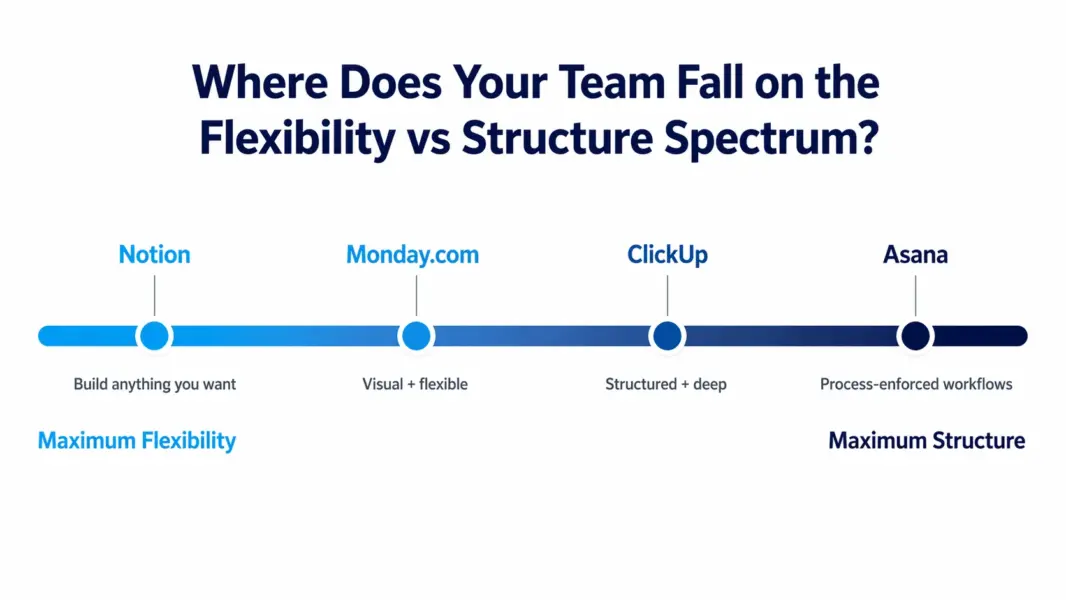
This Notion review is based on 12 months of daily use across a product team of 18 people, covering the free plan through Business ($15/user). Notion is an all-in-one connected workspace that combines documents, wikis, databases, and project management into a single platform built on a modular block system. Founded in 2013 and valued at $10 billion as of its 2024 funding round, Notion serves over 100 million users worldwide. Our verdict: Notion is the most versatile productivity tool on the market, but its strength in flexibility means it’s less opinionated about project management than Asana, ClickUp, or Monday.com.
Notion holds a 4.7/5 on G2 across 5,800+ reviews. Product Hunt named it Product of the Year. According to Gartner Peer Insights, it scores 4.5/5, with users consistently praising the flexibility and design while flagging the learning curve and performance at scale. Here’s what 12 months of real use reveals beyond those ratings.
What Is Notion and How Is It Different from PM Tools?
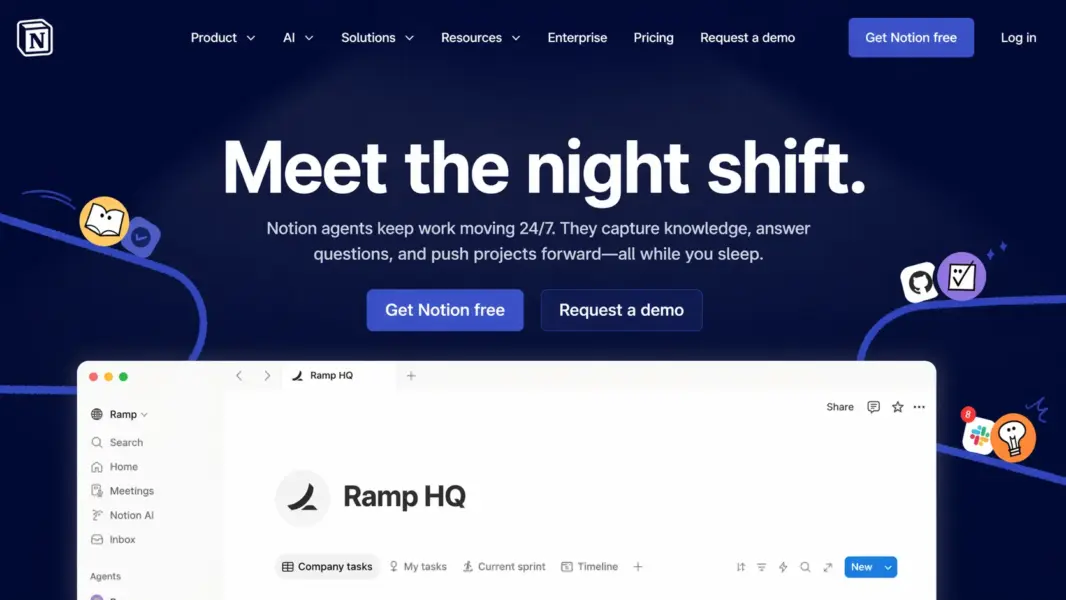
Notion is a cloud-based workspace platform that lets teams build custom systems from modular building blocks: pages, databases, documents, and 50+ block types that snap together like Lego. Founded by Ivan Zhao and Simon Last, it launched publicly in 2018 and exploded in popularity during the remote work shift of 2020-2021.
The core difference between Notion and every other tool in this review series is philosophical. Asana gives you a project management tool. ClickUp gives you an everything app with predefined features. Notion gives you building blocks and says: make whatever you need. The result is a platform that can function as your company wiki, product roadmap, project tracker, meeting notes hub, CRM, content calendar, and personal journal, all inside one workspace.
That positioning creates a unique competitive space. Notion isn’t purely a PM tool (no Gantt dependencies, no workflow automation). It isn’t purely a docs tool (it has full database functionality). It isn’t purely a wiki (it can manage projects and tasks). According to a 2024 survey by product management consultant Lenny Rachitsky, 62% of product teams using Notion also use a separate PM tool for execution tracking. Notion is the hub; the PM tool is the engine. For context on dedicated PM options, see our complete guide to project management software.
How Much Does Notion Cost in 2026?
Notion offers four tiers: a free plan for individuals with unlimited pages, a Plus plan at $8/month per user, a Business plan at $15/month per user, and custom-priced Enterprise. Prices reflect annual billing. Notion AI is an add-on at $8/month per user on top of any plan, though basic AI usage is included free.
Notion Pricing in 2026
Free
1 user, Unlimited pages & blocks, 7-day page history, 5MB file uploads, Basic Notion AI
Plus
Unlimited team members, Unlimited file uploads, 30-day page history, 100 guest collaborators
Business
SAML SSO, Advanced page analytics, 90-day page history, 250 guests, Private team spaces
Enterprise
Audit log, SCIM provisioning, Unlimited page history, Advanced security, Dedicated support
The free plan is remarkably generous for solo users. Unlimited pages, unlimited blocks, basic Notion AI. The limitations: single-user only (no team members), 5MB file uploads, and 7-day page history. For freelancers and personal productivity, it’s hard to beat.
Plus at $8/user is where teams start. Unlimited members, unlimited file uploads, 30-day history, and 100 guest collaborators. This covers 90% of what most teams need.
Business at $15/user adds SAML SSO, page analytics, 90-day history, and private team spaces. Organizations with compliance requirements or 50+ users typically need this tier.
Pricing context: Notion’s Plus plan ($8/user) is cheaper than Asana’s Starter ($10.99) and close to ClickUp’s Unlimited ($7). But the comparison is apples to oranges. Notion gives you a workspace; ClickUp and Asana give you structured project management. Many teams use Notion alongside a PM tool, which means the total cost is Notion plus your PM tool, not Notion instead of one.
What Makes Notion’s Database System So Powerful?
Notion’s databases are the feature that separates it from every other tool in this category. A Notion database is a collection of pages with structured properties where every row is also a full page you can open, write in, and fill with any content. Think of it as a spreadsheet where each row opens into a complete document.
Property types include Text, Number, Select, Multi-select, Date, Person, Files, Checkbox, URL, Email, Formula, Relation, Rollup, Status, Created time, and Last edited time. The power comes from combining these with views.
One Database, Multiple Views
A single database can display as a Table, Board (Kanban), Calendar, List, Gallery, or Timeline view. Each view has its own filters, sorts, and visible properties. Your product roadmap database might show as a Board for the product team (grouped by status), a Timeline for leadership (showing dates), and a Gallery for marketing (showing feature images). Same data, three perspectives, zero duplication.
Relations and Rollups
Relations link databases together. Connect a “Tasks” database to a “Projects” database, then use Rollups to calculate task counts, completion percentages, or deadline ranges from tasks into the project view. This relational capability turns Notion into something closer to Airtable than a traditional PM tool.
The Timeline view, added in 2022, provides basic Gantt-like functionality: items displayed on a horizontal timeline by date range with drag-to-reschedule. It’s functional but doesn’t support dependencies, critical paths, or resource leveling. Teams needing true Gantt scheduling still need a dedicated PM tool for that layer.
How Good Are Notion’s Documentation and Wiki Features?
This is where Notion has zero equals. Building a team wiki in Notion is more intuitive than any competing tool including Confluence, Google Sites, and SharePoint. You create pages, nest sub-pages for departments or topics, add toggle blocks for FAQs, embed databases for directories, and link everything with @mentions and page references.
The editor supports 50+ block types: text, headings, toggles, callouts, quotes, tables, databases (inline and full-page), code blocks, images, videos, embeds (Figma, Google Maps, Loom, Miro), bookmarks, synced blocks, and equations. Synced blocks let you create content once and display it across multiple pages; edits propagate everywhere.
Notion introduced verified pages and wiki properties in 2023, adding owner assignment, verification status, and expiration dates to flag stale documentation. For large teams where wiki maintenance is a constant battle, these features address a real problem.
According to the 2024 Okta Businesses at Work report, Notion was the fastest-growing workplace app for the second consecutive year, with wiki and documentation use cited as the primary adoption driver. Full-text search works across the entire workspace: pages, databases, comments, and file contents.
Does Notion AI Actually Add Value?
Notion AI is integrated directly into the editor and database layer. You can highlight text and ask AI to summarize, translate, simplify, rewrite, or expand it. In databases, AI autofills properties, generates summaries, and extracts action items from linked pages.
The most valuable feature is workspace Q&A. Ask Notion AI a question like “What decisions did we make about the pricing page redesign?” and it searches your pages, databases, and comments to generate an answer with source links. For teams with large, information-dense workspaces accumulated over months or years, this turns static documentation into a conversational knowledge base.
AI writing assistance is solid for first drafts, meeting note summaries, and brainstorming. Less reliable for technical documentation or domain-specific content. The $8/month per user add-on cost is steep across a team, but workspace Q&A alone justifies it for knowledge-heavy organizations where finding past decisions currently requires Slack archaeology.
Is Notion Easy to Use?
Notion’s ease of use is a paradox. Writing a document is intuitive: type, add blocks, create pages. Anyone can do it within five minutes. Building systems with databases, relations, rollups, and linked views requires conceptual understanding that takes 1-2 weeks of active use before things click.
The learning curve sits specifically in the database layer. Understanding the difference between a page and a database page, grasping how relations connect separate databases, and learning rollup calculations are concepts that don’t exist in simpler tools. This isn’t a UI problem; it’s a mental model shift.
Notion compensates with an enormous support ecosystem. The template gallery (10,000+ templates), YouTube creator community (Thomas Frank’s tutorials alone have 20M+ views), and active Reddit community (r/Notion, 500,000+ members) provide learning resources that exceed what any official documentation could offer.
Performance is a genuine concern at scale. Large workspaces with thousands of heavily-linked pages experience slower load times, sluggish search, and mobile app friction. Notion has shipped performance improvements throughout 2024-2025, but power users with massive workspaces still report slowdowns.
Offline support exists but is inconsistent. Cached pages are readable offline; creating new content and syncing reliably remains hit-or-miss. Teams with frequent travelers or spotty connectivity should not rely on Notion as their sole tool.
Our ease of use rating: 7.5/10. Beautiful editor, intuitive basics, but the database learning curve and performance issues at scale bring the score down from where it could be.
How Responsive Is Notion’s Customer Support?
Notion’s support is email-only. No live chat, no phone, no officially moderated community forum. Enterprise plans include a dedicated account manager and priority routing.
Response times during testing averaged 24-48 hours for standard queries. The answers were helpful and detailed, but the wait is significantly longer than Asana’s 1-3 hours or ClickUp’s 5-15 minute live chat. For urgent issues, the lack of real-time support is a concrete disadvantage that teams should factor into their evaluation.
The Notion Help Center is comprehensive with well-written articles. Notion Academy offers structured courses. But the unofficial community (Reddit, YouTube, Twitter/X) is where most users actually find answers. That’s a testament to the product’s community but a gap in the company’s support infrastructure.
Our customer support rating: 7.0/10.
How Does Notion Compare to ClickUp, Asana, and Confluence?
Notion occupies a unique position. It competes with PM tools for project tracking, docs tools for documentation, and wiki tools for knowledge management. No other tool straddles all three categories. Here’s how it performs against the closest competitor in each lane:
| Dimension | Notion | ClickUp | Asana | Confluence |
|---|---|---|---|---|
| Starting price (per user/month) | $8 | $7 | $10.99 | $5.75 |
| Free plan | Yes (solo, unlimited pages) | Yes (teams, unlimited tasks) | Yes (10 users) | Yes (10 users) |
| Documentation and wiki | Best-in-class | Good (ClickUp Docs) | None | Strong |
| Relational databases | Best-in-class | Custom fields only | Custom fields only | None |
| Project management structure | Flexible but unstructured | Highly structured (15+ views) | Workflow-driven (Rules) | Basic (via Jira) |
| Gantt with dependencies | Basic timeline only | Yes, full dependencies | Yes, full dependencies | Via Jira integration |
| Native AI | Strong (workspace Q&A + writing) | ClickUp Brain | Asana Intelligence | Atlassian Intelligence |
| Best for | Knowledge hub + flexible PM | Feature-dense structured PM | Workflow-driven PM | Developer documentation |
| Our rating | 8.1/10 | 8.4/10 | 8.2/10 | 7.3/10 |
The pattern: Notion wins on flexibility, documentation, and databases. It loses on structured PM, workflow automation, and scheduling. If your team’s work is 60% documentation and 40% task tracking, Notion is the right primary tool. If that ratio is reversed, a dedicated PM tool with Notion for docs is the stronger stack. For detailed analysis, see our Notion vs ClickUp comparison.
Who Is Notion Best For? (And Who Should Choose Something Else)
Notion is the strongest choice for teams where knowledge, documentation, and flexible data organization are the primary work modes, with some project tracking layered on top. It’s the wrong choice for teams that need enforced workflows, advanced scheduling, or real-time support.
Notion Excels For
Startups and early-stage companies (2-50 people) that need one tool for everything without paying for separate docs, PM, and wiki tools. The free plan supports solo founders. Plus at $8/user scales affordably. The template ecosystem means you’re building on proven systems, not starting from zero.
Product teams living in specs, PRDs, and roadmaps. Notion’s document-database hybrid lets you write a spec, link it to a roadmap database, tag related tasks, and track everything in connected views. Product managers consistently rank Notion as their most essential daily tool.
Knowledge-heavy organizations: consulting firms, agencies, research groups, and content teams. If your competitive advantage depends on organized, searchable, maintained knowledge, Notion’s wiki and database combination is unmatched by any other single tool.
Remote and async-first teams. Documentation-first culture naturally supports async work. Instead of meetings for status updates, teams write in Notion. Instead of Slack threads for decisions, teams document in Notion. Workspace AI Q&A makes finding past decisions fast. See best PM tools for small teams for more options.
Notion Is NOT Right For
Teams needing enforced project management structure. No mandatory fields, no automated status transitions, no workflow enforcement. If your process requires tasks to go through Review before Done with no exceptions, Asana or Monday.com are better fits.
Organizations managing complex timelines. No Gantt dependencies, no critical path analysis, no resource leveling. Notion’s Timeline view is a visualization layer, not a scheduling engine. Construction, engineering, and enterprise PMO teams need Smartsheet, Microsoft Project, or ClickUp.
Teams needing real-time customer support. Email-only with 24-48 hour waits doesn’t work when your entire team’s knowledge base is down and you need resolution now.
Users who work offline frequently. Unreliable offline creation and syncing. Field workers, frequent travelers, and spotty-connectivity environments should not depend solely on Notion.
Large enterprises with strict data governance. Notion’s flexibility makes it harder to enforce consistent data structures across departments compared to rigid tools. Information sprawls in unstructured ways that compliance teams find difficult to audit. If you want to explore alternatives, check out best free PM tools for other starting points.
Is Notion Worth It? Our 2026 Verdict
Notion is a category of one. No other tool gives you this combination of beautiful documentation, powerful relational databases, flexible project tracking, and an AI layer that makes your accumulated knowledge searchable through conversation. It’s the rare platform where individual users and 500-person teams both find genuine daily value.
The tradeoffs are specific. Notion is not the best project management tool. It’s the best workspace that also does project management. If task execution and workflow automation are your primary needs, ClickUp and Asana serve those functions better. If documentation, knowledge management, and flexible data organization are your core needs with project tracking layered on top, nothing competes with Notion.
We rate Notion 8.1 out of 10. It scores highest on features (8.8) and value (8.5), reflecting extraordinary flexibility at a competitive price. It loses ground on ease of use (7.5, due to the database learning curve) and support (7.0, email-only). As tech analyst Ben Thompson wrote in Stratechery: “Notion’s genius is that it’s a tool for making tools. The ceiling is as high as your team’s willingness to build.”
The free plan is the best way to evaluate. Start solo, explore templates, build a small database system. You’ll know within a week whether Notion’s approach clicks for how you think about work.
Try Notion Free Last updated: April 25, 2026Frequently Asked Questions
Is Notion free to use?
Notion’s free plan is very generous for individuals. You get unlimited pages and blocks, basic Notion AI, and 5MB file uploads. The main limitation is it’s single-user; you cannot invite team members. For teams, the Plus plan starts at $8/month per user with unlimited members, file uploads, and 30-day page history.
Is Notion good for project management in 2026?
Notion handles lightweight to moderate project management well using databases with Board, Table, Calendar, and Timeline views. It works for task tracking, sprint boards, and roadmaps. It falls short for complex PM requiring Gantt dependencies, workflow automation, resource leveling, or time tracking. Teams with heavy PM needs often pair Notion with a dedicated tool like Asana or ClickUp.
How does Notion compare to ClickUp?
Notion excels at documentation, wikis, and flexible relational databases. ClickUp offers deeper structured project management with 15+ views, native Gantt dependencies, built-in time tracking, and workflow automations. Notion starts at $8/user versus ClickUp’s $7/user. Choose Notion when documentation and knowledge are primary; choose ClickUp when structured project execution is the priority.
Does Notion work offline?
Notion has limited offline support. It caches recently viewed pages for offline reading, and some editing is possible. Creating new pages, working with databases, and syncing changes offline remains unreliable. Teams that frequently work without stable internet should not depend on Notion as their sole productivity tool.
What is Notion AI and is it worth the extra cost?
Notion AI is an integrated assistant that writes, summarizes, translates, and answers questions about your entire workspace content. It costs $8/month per user as an add-on. The workspace Q&A feature is the standout: ask questions about past decisions and get answers with source links. Worth it for knowledge-heavy teams; optional for teams primarily using Notion for simple task tracking.
Can Notion replace Confluence for team wikis?
For most teams, yes. Notion’s wiki features including nested pages, verified pages, ownership tracking, and full-text search cover what Confluence offers with a significantly better editing experience. The exception: teams deeply integrated into the Atlassian ecosystem (Jira, Bitbucket) where Confluence’s native connections provide workflow advantages Notion cannot match.
Is Notion secure enough for business use?
Notion holds SOC 2 Type II certification and encrypts data in transit and at rest. The Business plan adds SAML SSO and advanced permissions. Enterprise includes audit logs, SCIM provisioning, and custom security configurations. Sufficient for most business use cases. Highly regulated industries should evaluate the Enterprise tier’s compliance features specifically.
How steep is Notion’s learning curve?
Basic page creation and document editing take minutes to learn. The learning curve emerges when building databases with relations, rollups, and linked views. Most users need 1-2 weeks of active use before database concepts feel natural. The 10,000+ template gallery significantly accelerates onboarding by providing pre-built systems to customize rather than constructing from scratch.
Related Reviews
- ClickUp Review 2026
- Asana Review 2026
- Monday.com Review 2026
- Basecamp Review 2026
- Complete Guide to Project Management Software
- Notion vs ClickUp 2026
- Best Free Project Management Tools
Notion is the most flexible workspace tool available. It's the right choice for teams that think in documents and databases rather than task lists and timelines. Startups, knowledge workers, and product teams needing a single source of truth for docs, specs, wikis, and lightweight project tracking will find Notion irreplaceable. Teams needing rigid workflow enforcement, Gantt scheduling, or time tracking should pair Notion with a dedicated PM tool or choose ClickUp instead.