Pros
- Flat $299/mo pricing for unlimited users is unbeatable value for teams over 20
- Easiest PM tool to learn with near-zero onboarding time
- Built-in team communication reduces dependency on Slack
- Automatic check-ins replace daily standup meetings
- Hill Charts offer a unique way to visualize real project progress
- Opinionated design eliminates configuration paralysis entirely
Cons
- No Gantt charts, timelines, or dependency tracking
- No custom fields, custom workflows, or automation of any kind
- Very limited reporting and analytics capabilities
- No native time tracking on any plan
- No free plan available (30-day trial only)
- Single-level to-do lists with no subtask nesting
- Cannot assign a single to-do to multiple people
This Basecamp review is based on 45 days of testing with a 12-person remote content agency, covering both the per-user plan ($15/user) and the Pro Unlimited flat rate ($299/month). Basecamp is an opinionated project management and team communication tool that bundles to-dos, message boards, file storage, scheduling, and automatic check-ins into a deliberately simple interface. Built by 37signals (the company behind Ruby on Rails), it has been in continuous development since 2004, making it one of the longest-running PM tools on the market. Our verdict: Basecamp is the best PM tool for teams that know they don’t need a complex one.
Basecamp holds a 4.3/5 on G2 across 5,300+ reviews and 4.3/5 on Capterra with 14,000+ reviews, one of the largest review pools in the PM category. The pattern across both platforms is distinctive: people who love Basecamp really love it, and people who need more power leave within six months. That polarization tells you more about fit than any feature list.
What Is Basecamp and Why Is It So Different?
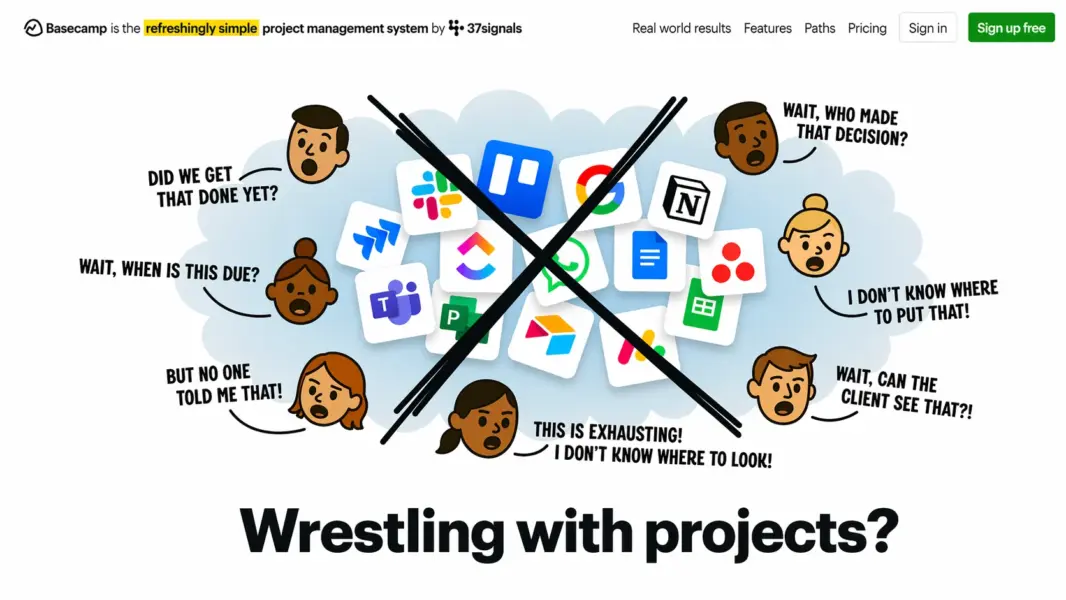
Basecamp is a cloud-based project management and internal communication platform designed around one principle: work tools should be simple, calm, and predictable. Created by Jason Fried and David Heinemeier Hansson (DHH), who also built the Ruby on Rails framework and wrote influential business books including “Rework” and “It Doesn’t Have to Be Crazy at Work,” Basecamp reflects their philosophy that most software is unnecessarily complex.
That philosophy permeates every design decision. Where ClickUp adds features, Basecamp removes them. Where Monday.com offers 30+ column types, Basecamp gives you six tools per project. Where Asana builds workflow automation, Basecamp says your process should be simple enough not to need automation.
The company has been profitable since launch and has never taken venture capital. This matters because Basecamp doesn’t chase growth metrics, enterprise upsells, or feature bloat to satisfy investors. Features that worked 10 years ago still work the same way today. That stability is either reassuring or stagnant, depending on what you need from a PM tool.
37signals also builds HEY, an email service with similarly opinionated design. Basecamp has served millions of users over its two decades, though the company doesn’t publish current active user numbers. It’s particularly popular with remote teams, agencies, and small businesses that value predictability over power. For broader PM context, see our complete guide to project management software.
How Much Does Basecamp Cost in 2026?
Basecamp offers two pricing options: per-user pricing at $15/month per person, or a flat rate of $299/month for unlimited users on the Pro Unlimited plan. There is no free plan. Basecamp offers a 30-day free trial.
Basecamp Pricing in 2026
Basecamp
All features included, 500GB storage, Unlimited projects, All six tools
Basecamp Pro Unlimited
Unlimited users, All features, 5TB storage, Priority support, 1:1 onboarding, Admin pro pack
The per-user plan makes sense for small teams. Five people: $75/month. Ten people: $150/month. Every feature is included at every level. No tier gating. No feature unlocks. You pay, you get everything.
The flat-rate Pro Unlimited plan is where Basecamp’s value proposition becomes remarkable. Twenty users: $299/month ($14.95/user). Fifty users: $299/month ($5.98/user). One hundred users: $299/month ($2.99/user). For organizations over 20 people, this is the cheapest PM tool on the market per user, period.
Compare that math: a 50-person team on ClickUp Unlimited pays $350/month. On Asana Starter: $550/month. On Monday.com Standard: $600/month. On Basecamp Pro Unlimited: $299/month. The savings are significant and predictable — your bill never changes no matter how many people you add.
The catch: no free plan. Every competitor in this review series offers one. For solo users and teams of 1-3, the $15-45/month entry cost isn’t competitive with ClickUp’s free plan or Notion’s generous free tier. According to 37signals’ own data, the average Basecamp customer stays on the platform for over 5 years, suggesting the simplicity-first model builds loyalty even without a free entry point.
What Are Basecamp’s Six Built-in Tools?
Every Basecamp project contains exactly six built-in tools. You can disable ones you don’t need, but you cannot add new ones. This rigid structure is the philosophical core of the product: zero configuration means zero configuration paralysis.
Message Board: Async Communication That Replaces Meetings
Message boards are long-form discussion posts with titles, bodies, and comment threads. Each post is closer to an internal blog entry than a chat message. The format encourages thoughtful, complete communication: instead of 15 Slack messages asking “what’s the status of the homepage redesign?”, you write one structured update covering what’s done, what’s remaining, and what’s blocked.
This is Basecamp’s strongest feature for remote and async teams. Message boards reduce the real-time chat anxiety that plagues Slack-dependent organizations and give everyone time to read, think, and respond on their own schedule. 37signals’ free Shape Up methodology guide details how message boards replace most status meetings entirely.
To-dos: Simple Task Lists with Clear Ownership
To-dos are Basecamp’s task management system. You create to-do lists within a project, add items, assign each to one person, set a due date, and add notes. No priority fields. No custom statuses. No subtasks. No dependencies. No formulas. Completed items move to a “Completed” section with a green checkmark.
The one-person assignment limit is deliberate. Basecamp believes every task should have exactly one owner. If a task needs multiple people, it should be split into separate to-dos. This is opinionated and occasionally frustrating, but it enforces clear accountability that ambiguous multi-assignment tools often undermine.
Automatic Check-ins: Kill the Daily Standup
Automatic check-ins are recurring questions Basecamp sends to team members on a schedule. Common examples: “What did you work on today?”, “What are you planning this week?”, “Anything blocking you?”, “What’s inspiring you lately?”
Responses collect in a shared feed. Managers scan everyone’s updates in one place without scheduling a single meeting. According to a 2024 Atlassian workplace study, the average knowledge worker spends 31 hours per month in unproductive meetings. Check-ins directly replace the “go around the room and share your status” standup that most teams hold out of habit rather than necessity.
Hill Charts: See Where Work Actually Stands
Hill Charts are Basecamp’s most original feature. They visualize project progress not as a percentage bar (which is meaningless for creative work) but as a hill. Tasks start on the left uphill slope, representing the figuring-out phase: research, unknowns, exploration. As you resolve unknowns, tasks move to the hilltop. Then they move downhill (right side), representing execution: building, polishing, shipping.
The metaphor captures something linear progress bars miss entirely. A task at 50% on a traditional tracker could mean “half the work is done” or “all the easy work is done and the hard half is ahead.” Hill Charts distinguish between these states. Uphill means uncertainty remains. Downhill means the path is clear. Project managers manually drag tasks along the hill, creating a visual history that’s subjective but often more honest than automated metrics.
Schedule, Docs & Files, and Campfire
Schedule is a basic project calendar for milestones, deadlines, and events. No resource management, no capacity planning. Just dates on a calendar.
Docs & Files provides a basic rich-text editor and file storage. No real-time collaboration, no database functionality, no advanced formatting. It’s a shared file cabinet, not a Notion competitor.
Campfire is real-time group chat within a project. Simple messaging with emoji reactions. No threads, no integrations. For teams already on Slack or Teams, Campfire is redundant. For teams using Basecamp as their primary platform, it eliminates the need for separate chat.
What You WON’T Find in Basecamp
This list matters as much as the features list: no Gantt charts, no timeline views, no dependencies, no custom fields, no custom statuses, no automations, no formulas, no API-based integrations marketplace, no dashboards, no reporting, no time tracking, no workload management, no sprint tools, no kanban board (Card Table is very basic), no subtask nesting, no multi-person assignment.
Is Basecamp Easy to Use?
Basecamp is the easiest project management tool to learn. Not one of the easiest. The easiest. A new team member opens Basecamp, sees their projects listed, clicks into one, and the six tools are right there. No configuration. No custom field setup. No hierarchy to memorize. Working within five minutes is realistic, not marketing copy.
The interface is clean, fast, and completely consistent. Every project looks the same. Every to-do list works the same way. Every message board has the same format. This consistency eliminates the cognitive overhead that accumulates in more flexible tools where every project can have different views, fields, and layouts.
Onboarding a new team takes minutes. This is a genuine competitive advantage for organizations with high turnover, frequent contractors, or client collaborators who need project access without training sessions. No other tool in this review series matches Basecamp’s onboarding speed.
The downside: if Basecamp’s default structure doesn’t match your workflow, your only option is to change your workflow. There’s no “just add a custom field” escape hatch. No configuration also means no customization.
Our ease of use rating: 9.2/10. The highest in our PM review series.
How Helpful Is Basecamp’s Customer Support?
Basecamp provides email support to all customers and priority email support to Pro Unlimited subscribers. No live chat, no phone support. Pro Unlimited includes a 1:1 onboarding session, which is unusual for a tool this simple but appreciated.
Response times during testing averaged 4-8 hours. The quality was high: specific, well-written answers from support agents who clearly know the product deeply. Basecamp’s small support team means less copy-paste generic troubleshooting and more tailored guidance.
The help documentation at basecamp.com/support is straightforward. The company blog (Signal v. Noise) covers work philosophy extensively. Community support is smaller than Asana’s or Notion’s — no official forum, modest Reddit presence — so email support and help docs are your primary resources.
Our customer support rating: 7.8/10.
How Does Basecamp Compare to ClickUp, Asana, and Trello?
Basecamp doesn’t compete on features. It competes on philosophy. The comparison table below highlights how stark the difference is between Basecamp’s intentional minimalism and the feature depth of mainstream PM tools:
| Dimension | Basecamp | ClickUp | Asana | Trello |
|---|---|---|---|---|
| Pricing model | $15/user or $299 flat | $7/user | $10.99/user | $5/user |
| Free plan | No (30-day trial) | Yes (unlimited users) | Yes (10 users) | Yes (unlimited users) |
| Built-in team chat | Yes (Campfire) | Yes (Chat view) | No | No |
| Async check-ins | Yes (unique feature) | No | No | No |
| Gantt / Timeline | No | Yes (full) | Yes (full) | No |
| Custom fields | None | 15+ types | 6+ types | Via Power-Ups |
| Automation | None | 100+ templates | 70+ Rules | Butler |
| Onboarding time | 5 minutes | 2-4 hours | 10-15 minutes | 5 minutes |
| Best for | Simplicity-first teams | Feature-hungry teams | Workflow-driven teams | Simple task boards |
| Our rating | 7.2/10 | 8.4/10 | 8.2/10 | 7.5/10 |
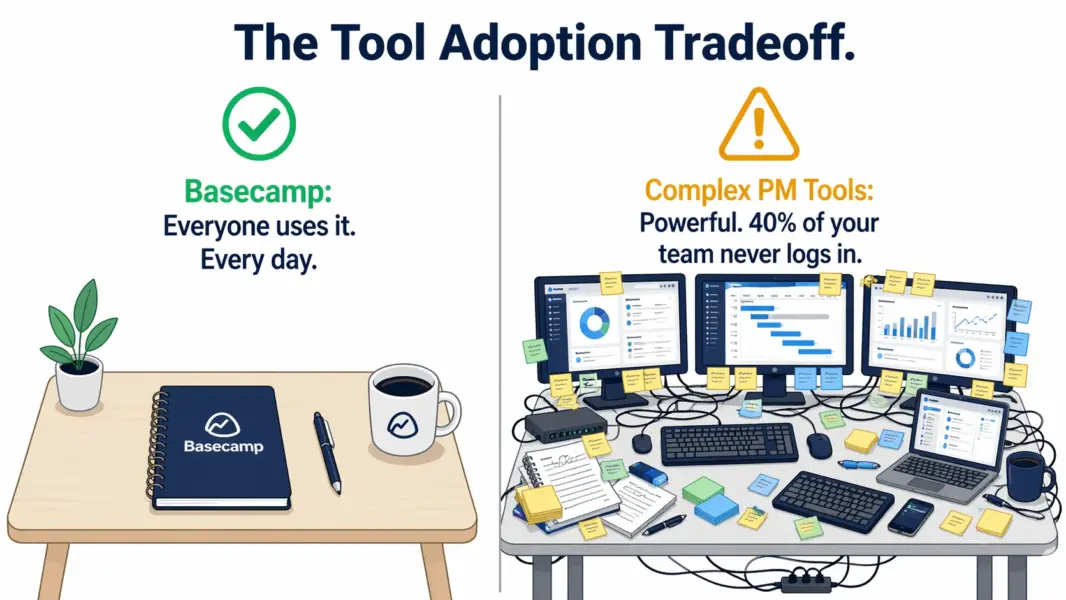
Basecamp’s 7.2 overall score is lower than every competitor in this table. But scores don’t tell the full story. For a team of 40 people with simple project needs, Basecamp at $299/month with 100% adoption on day one may deliver more practical value than ClickUp at $280/month with 60% adoption after a month of training.
If you’re considering leaving Basecamp for more power, see top Basecamp alternatives. If you’re evaluating simple options, see best PM tools for small teams.
Who Is Basecamp Best For? (And Who Will Outgrow It Fast)
Basecamp is the strongest choice for teams of 10-100 people with straightforward project management needs that prioritize guaranteed adoption and predictable costs over feature depth. It’s the wrong choice for anyone who needs scheduling, reporting, automation, or customization.
Basecamp Excels For
Small businesses (10-50 people) with simple project workflows. Assign tasks, communicate about them, share files, hit deadlines. Basecamp covers all of that without overhead. The $299 flat rate means your PM cost never increases regardless of hiring.
Remote and distributed teams wanting to reduce meetings. Message boards, automatic check-ins, and Campfire provide a complete async communication layer. Teams practicing the Shape Up methodology or similar async frameworks find Basecamp purpose-built for their style.
Agencies managing multiple client projects. Each client gets a project. To-dos, messages, files, and a schedule per client. Client collaborators can view progress without full seat licenses on Pro Unlimited. Clean, predictable, and clients understand the interface immediately.
Teams that have tried complex PM tools and abandoned them. If you bought Asana, configured it for three weeks, and watched your team revert to spreadsheets and email, Basecamp’s radical simplicity means adoption actually sticks because there’s nothing to get confused about.
Non-technical organizations: education, nonprofits, creative studios, professional services. These teams need to organize work, not manage enterprise software.
Basecamp Will Frustrate
Teams needing visual project scheduling. No Gantt charts. No timelines. No dependencies. No resource leveling. If your projects have complex interdependencies, Basecamp will frustrate you within the first week.
Teams needing analytics and reporting. Zero reporting. No charts, no velocity tracking, no cycle time analysis, no dashboards. If accountability depends on metrics, Basecamp provides none.
Software development teams. No story points, no sprint boards, no Git integration, no CI/CD hooks, no burndown charts. Basecamp has never tried to serve engineering workflows and doesn’t intend to.
Solo users and tiny teams (1-3). No free plan means $15-45/month for capabilities that ClickUp, Notion, and Trello offer for free. The value equation doesn’t work until you cross the 20-person threshold where flat-rate pricing kicks in.
Teams that need any automation. Zero. Every task transition, every notification, every handoff requires a human doing it manually. High-volume teams processing recurring work will hit this bottleneck daily. For alternatives, check best free PM tools.
Is Basecamp Worth It? Our 2026 Verdict
Basecamp is the PM tool that respects your time by giving you less. In a market where every competitor races to add more features, views, automations, and configuration layers, Basecamp’s restraint is genuinely refreshing. You open it, you work, you close it. No tutorials needed. No admin overhead. No configuration debt.
The $299/month flat rate for unlimited users is an objectively compelling offer for mid-size teams. A 50-person company paying $6/user/month for a tool covering project management and team communication is exceptional value that no competitor can match at that team size. The built-in communication features (message boards, check-ins, Campfire) are good enough that some teams drop Slack alongside their old PM tool, creating additional savings.
We rate Basecamp 7.2 out of 10. The feature score (5.8) is the lowest in our PM review series because Basecamp deliberately omits capabilities that every competitor includes. The ease of use score (9.2) is the highest. As Jason Fried wrote in “It Doesn’t Have to Be Crazy at Work”: “When you build a tool that does less, people can actually use all of it. When you build a tool that does everything, people use 10% and feel guilty about the rest.”
The 30-day free trial is enough to know whether Basecamp fits. If your team is working comfortably within those six tools by day 14, Basecamp is your answer. If you’re hitting walls and wishing for custom fields by day 7, you need a different tool.
Try Basecamp Free for 30 Days Last updated: April 25, 2026Frequently Asked Questions
Does Basecamp have a free plan?
No. Basecamp offers a 30-day free trial but no permanent free plan. After the trial, pricing is $15/month per user or $299/month flat for unlimited users. This is a notable gap compared to ClickUp, Notion, and Trello, which all offer generous free tiers for individuals and small teams.
Is Basecamp good for small teams in 2026?
Basecamp excels for small teams of 5-20 people with straightforward project management needs. The interface requires zero training and the built-in communication tools reduce Slack dependency. The per-user plan at $15/month is reasonable for teams of 5-15. For teams of 1-3, the lack of a free plan makes ClickUp or Trello more cost-effective starting points.
How does Basecamp compare to Asana?
Basecamp prioritizes simplicity and built-in async communication. Asana offers structured workflows, automation Rules, and detailed project views including Gantt timelines. Basecamp has no custom fields, no automations, and no reporting. Asana has no built-in chat or automatic check-ins. Choose Basecamp for maximum simplicity; Asana for workflow structure and accountability metrics.
Does Basecamp have time tracking?
No. Basecamp does not include native time tracking on any plan. Teams needing time tracking pair Basecamp with Toggl, Harvest, or Clockify. Some integrate via their APIs, but the connection is less seamless than ClickUp’s built-in tracker or Monday.com’s Pro-tier time tracking feature.
What is the Shape Up methodology?
Shape Up is a project management methodology created by 37signals, Basecamp’s parent company. It organizes work into 6-week build cycles with 2-week cooldown periods, focusing on shaping work thoroughly before committing to build it. Basecamp is designed around Shape Up principles. The full methodology guide is available free at basecamp.com/shapeup.
Can Basecamp handle client collaboration?
Yes. Basecamp lets you invite clients to specific projects as external collaborators. You control what clients see by toggling visibility on message boards, to-do lists, and files. On the Pro Unlimited plan, client collaborators don’t count toward your seat cost, making it popular with agencies managing multiple client relationships.
Is Basecamp secure?
Basecamp uses 256-bit TLS encryption for data in transit and AES-256 encryption at rest. It supports two-factor authentication and conducts regular security audits. Basecamp does not currently hold SOC 2 Type II certification, which may be a concern for enterprise procurement teams with strict compliance checklists requiring third-party audit verification.
Why is Basecamp’s rating lower than ClickUp or Asana?
Our ratings weigh features, ease of use, value, and support equally. Basecamp’s feature score of 5.8 is the lowest in the category because it deliberately omits Gantt charts, custom fields, automations, reporting, and time tracking. Its ease of use score of 9.2 is the highest. The 7.2 overall reflects the tradeoff: maximum simplicity at the cost of capability depth.
Related Reviews
- ClickUp Review 2026
- Asana Review 2026
- Monday.com Review 2026
- Notion Review 2026
- Complete Guide to Project Management Software
- Best Basecamp Alternatives 2026
- Best Free Project Management Tools
Basecamp is the anti-feature-bloat PM tool. It deliberately trades power for simplicity, and for the right team, that tradeoff is worth every dollar. If your needs are straightforward — manage projects, assign tasks, communicate, share files — and you want 100% team adoption within a day, Basecamp delivers. If you need custom workflows, advanced scheduling, reporting, or automation, you'll outgrow it within weeks.