You can build a functioning website on either Wix or Squarespace in a weekend. The difference is what happens after that weekend. Wix gives you more freedom to customize and more apps to install, but your site can never leave the platform. Squarespace gives you more polished design and faster loading speeds, but fewer integrations. Pricing is nearly identical at entry level. The real decision is about what matters more: total flexibility or design quality.
How Do They Compare on Price?
Entry pricing is almost identical. The gap appears at the top end and in what each plan actually includes.
Squarespace: Basic $16 per month (annual), Core $23, Plus $39, Advanced $99. No free plan. 14-day free trial, no credit card. Every paid plan includes a custom domain for year one, unlimited bandwidth, and SSL.
Wix: Light $17 per month (annual), Core $29, Business $39, Business Elite $159. Free plan available (with Wix ads and subdomain). 14-day money-back guarantee. All paid plans include a custom domain for year one.
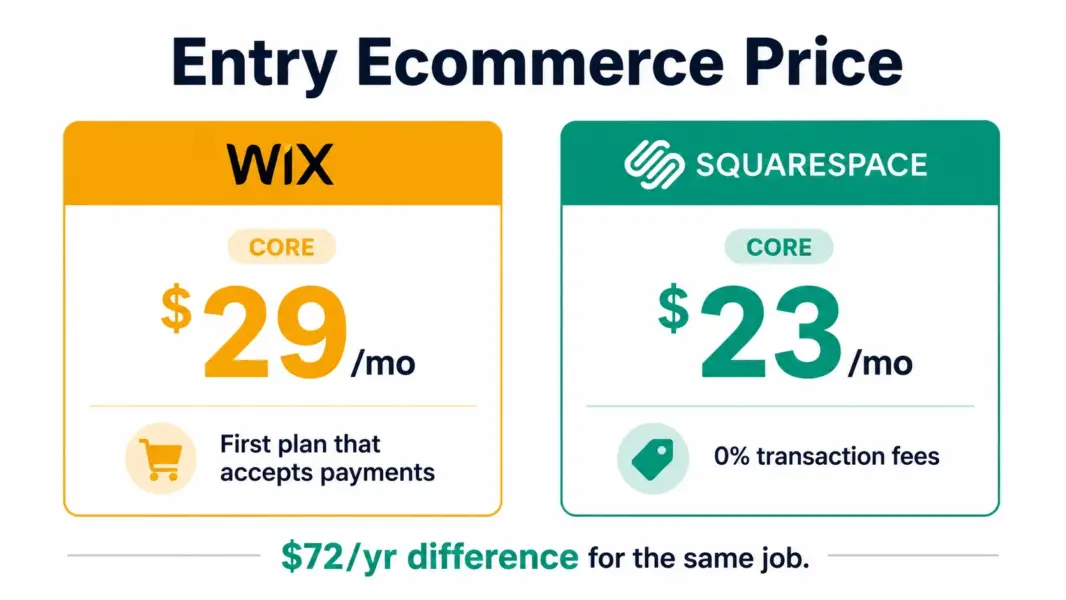
One pricing trap to know: Wix’s Light plan at $17 can’t accept online payments. Selling anything requires Core at $29. Squarespace’s cheapest plan that accepts payments without a platform transaction fee is Core at $23. If you’re building a site that takes money, Squarespace’s Core at $23 beats Wix’s Core at $29 by $72 per year.
Year-two renewal is the other trap. Wix’s first-year annual rates can jump 25 to 50% at renewal. Squarespace’s pricing has been more stable historically. Budget for the renewal rate, not the intro price.
Which Looks Better?
Squarespace. That’s not a close call. Squarespace’s ~200 templates are designed by professional designers for visual impact. Typography, spacing, grid alignment, and responsive behavior are polished in ways that Wix’s 2,700 templates don’t consistently match. If you’re a photographer, architect, restaurant, or any business where the website’s appearance directly affects purchasing decisions, Squarespace produces better-looking results with less effort.
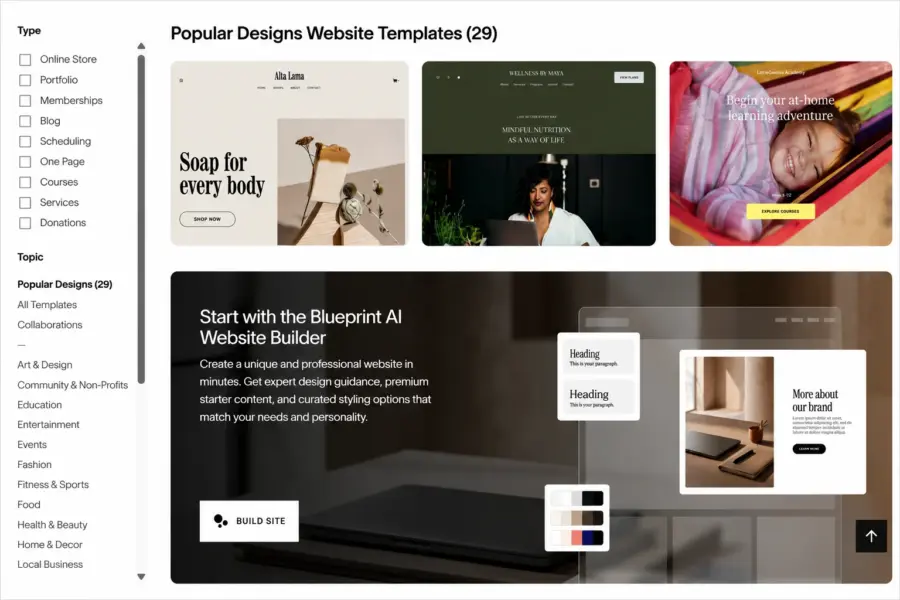
Wix has more templates (2,700 versus ~200), which sounds like an advantage until you browse them. The quality is inconsistent. Some look great, others look like 2015. Wix compensates with a pixel-level drag-and-drop editor that lets you place anything anywhere, but that freedom can produce messy layouts, especially on mobile, if you don’t know what you’re doing.
Which Is Easier for Beginners?
Wix. Its AI site generator builds a complete website from a text prompt in under 5 minutes. Describe your business, pick a style, and the AI produces pages with text, images, and navigation. Nothing else gets a non-technical person to a live site faster.
Squarespace’s Blueprint AI exists but produces less variety than Wix’s generator. Squarespace relies more on its template library, where you pick a design and customize it. That’s slightly more work than Wix’s AI-first approach but produces more consistently polished results.
Which Loads Faster?
Squarespace loads nearly twice as fast as Wix in independent CyberNews benchmarks. Page speed affects both user experience and search rankings. For ecommerce sites where every extra second of load time reduces conversions, Squarespace’s speed advantage is meaningful. For a simple business site or portfolio, both are fast enough.
The Lock-In Question Nobody Should Skip
Squarespace lets you export your site content. Wix doesn’t. If you outgrow your website builder in 2 years and want to move to WordPress, Shopify, or a custom site, Squarespace gives you an export path. On Wix, you rebuild from scratch.
This isn’t a small detail. It’s the most consequential difference between the two platforms. If your business is growing and might need more than a website builder provides within the next 3 to 5 years, Squarespace’s portability is worth more than Wix’s flexibility. For the full platform analysis, see our Wix review and Squarespace review.
Pick by What You’re Building
First website ever, no technical skills → Wix. Portfolio, restaurant, or design-first brand → Squarespace. Small store under 30 products → Squarespace Core ($23, 0% fees). Larger store or multi-channel selling → neither, use Shopify. Blog or content site → WordPress.com. For the full comparison of all builders, see our best website builders guide.
Try Squarespace Free for 14 Days
Last updated: July 22, 2026
Frequently Asked Questions
Is Wix or Squarespace cheaper in 2026?
Nearly identical at entry. Squarespace Basic is $16 per month annual. Wix Light is $17. For ecommerce without transaction fees, Squarespace Core at $23 beats Wix Core at $29. Wix offers a free plan that Squarespace doesn’t. Wix renewal prices can jump 25-50% in year two.
Is Squarespace better looking than Wix?
Yes. Squarespace’s ~200 templates are more consistently polished with better typography, spacing, and responsive design. Wix has 2,700 templates but quality varies widely. For businesses where visual quality drives purchasing, Squarespace produces better results with less effort.
Can I move my Wix site to another platform?
No. Wix does not allow site export. If you leave, you rebuild from scratch. Squarespace allows content export. WordPress.com allows full site export. If platform portability matters, avoid Wix.
Which is faster, Wix or Squarespace?
Squarespace loads nearly twice as fast as Wix in independent benchmark testing. For ecommerce where page speed affects conversions, this gap matters. For simple business sites, both are adequate.
Is Wix or Squarespace better for ecommerce?
Squarespace Core at $23 with 0% transaction fees beats Wix Core at $29 for most small stores. Neither matches Shopify for serious ecommerce with multi-channel selling. For stores under 30 products, both work. Above that, switch to Shopify.
Which is easier for beginners?
Wix is easier for absolute beginners thanks to its AI site generator that builds a website from a text prompt in under 5 minutes. Squarespace has a slightly higher starting effort but produces more polished results consistently.
Related Guides