
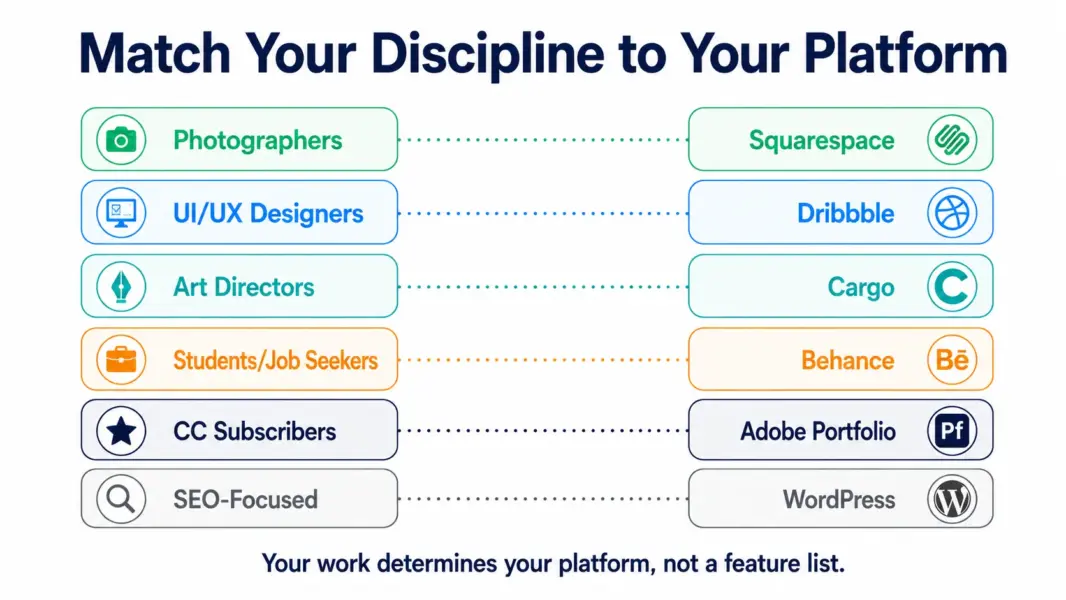
A photographer and a UI designer need completely different portfolio platforms. The photographer needs full-bleed galleries and clean typography. The UI designer needs a community where hiring managers browse. Recommending “the best portfolio platform” without asking what kind of creative work you do is useless. This guide matches 6 best portfolio platforms to specific creative disciplines so you pick the one that makes your work look best to the people who actually hire you.
Squarespace: Best Overall for Visual Creatives
Squarespace’s templates are the most visually polished in the website builder category, and this advantage matters most for portfolios. The 200-plus free templates include purpose-built layouts for photographers, designers, architects, artists, and filmmakers. Full-bleed image galleries, clean typography, and responsive layouts make work look professional without hiring a web designer. According to multiple 2026 reviews, Squarespace powers the majority of creative professional portfolios that actually land client work.
Basic at $16 per month (annual) handles most portfolio needs. Core at $23 adds CSS customization for designers who want to tweak beyond templates. All plans include custom domains, SSL, unlimited bandwidth, and built-in SEO. For the full platform review, see our Squarespace review.
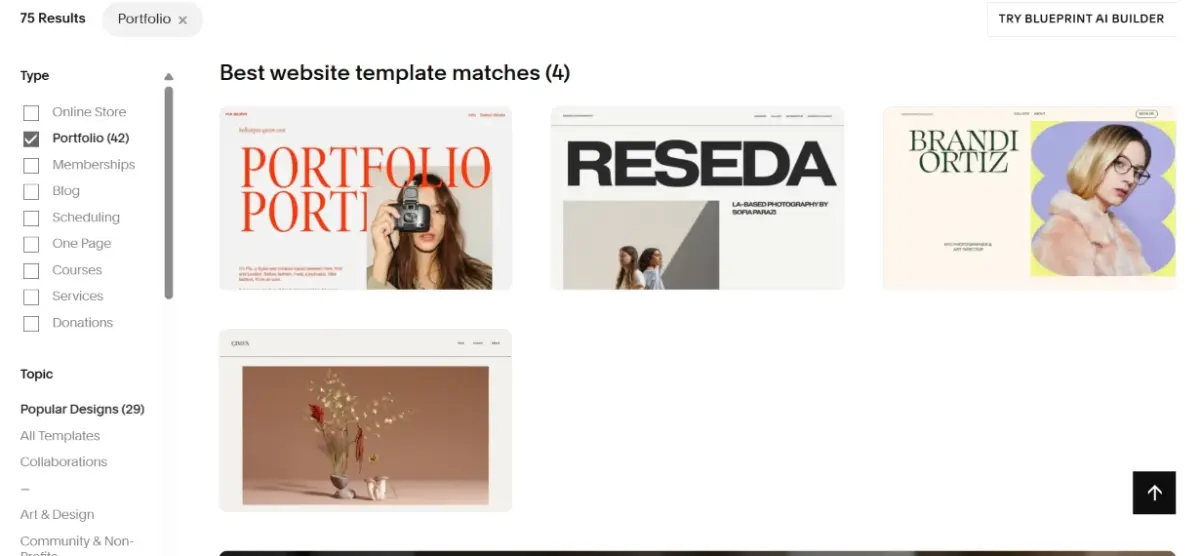
Best for: Photographers, architects, interior designers, artists, and any visual creative who needs their portfolio to sell their aesthetic. Cost: $16-23/mo.
Behance: Best Free Portfolio for Adobe Community Exposure
Behance is Adobe’s free portfolio platform with over 45 million members. Posting projects on Behance gives your work exposure within the Adobe creative community, including to recruiters, agencies, and art directors who browse Behance specifically to find talent. The platform supports images, videos, prototypes, and case studies with project-level tagging for discoverability.
Behance works best as a supplementary portfolio alongside your own website, not as a replacement. You do not own the URL, the design is Behance’s template (not yours), and your work sits alongside competitors’ projects. For free exposure and networking within the creative industry, Behance is unmatched. For client-facing presentations where you control the brand experience, Squarespace or your own site is essential.
Best for: Creatives seeking industry exposure, job seekers, and students building a professional presence. Cost: Free.
Dribbble: Best for UI/UX Designers Seeking Client Work
Dribbble is the primary platform where UI/UX designers showcase work and connect with companies hiring designers. The “shots” format (400x300px snapshots of design work) creates a visual feed that product teams, startups, and agencies browse when looking for design talent. Dribbble Pro at $5 per month adds portfolio customization, project attachments, and job board priority.
Dribbble’s value is in its hiring network, not its portfolio features. The design community on Dribbble skews toward product design, app design, and branding. If you design interfaces for a living, Dribbble visibility directly translates to client inquiries. If you are a photographer, illustrator, or architect, Dribbble is not where your clients look.
Best for: UI/UX designers, product designers, and brand designers targeting tech companies and startups. Cost: Free (basic) or $5/mo (Pro).
Adobe Portfolio: Best for Creative Cloud Subscribers
Adobe Portfolio is included free with any Adobe Creative Cloud subscription. If you already pay for Photoshop, Illustrator, or the full Creative Cloud suite, you have a portfolio builder at no additional cost. Adobe Portfolio offers clean, responsive templates that pull directly from your Behance projects and sync automatically.
The templates are simpler than Squarespace’s and the customization is more limited, but the zero-additional-cost proposition matters for creatives already paying $55 to $80 per month for Creative Cloud. For a functional portfolio that syncs with your Behance profile and costs nothing beyond your existing Adobe subscription, Adobe Portfolio eliminates a separate software expense.
Best for: Creative Cloud subscribers who want a portfolio without additional monthly costs. Cost: Included with any CC subscription.
Cargo: Best for Experimental and Avant-Garde Design
Cargo is a portfolio platform built for designers who want their portfolio to be a design statement itself. Unlike Squarespace’s polished-but-safe templates, Cargo’s layouts are experimental: asymmetric grids, unusual typography, interactive elements, and editorial compositions that push beyond conventional portfolio design. Fashion designers, art directors, experimental typographers, and design studios choose Cargo because their portfolio’s design language communicates as much about their work as the projects inside it.
Cargo at $14 per month delivers portfolio design freedom that Squarespace’s structured templates do not attempt. The tradeoff is a steeper learning curve and less hand-holding. Cargo suits designers who want to design their portfolio, not just fill a template.
Best for: Fashion designers, art directors, experimental designers, and design studios. Cost: $14/mo.
WordPress Plus Elementor: Best for Ownership and SEO
WordPress with the Elementor page builder gives creatives full ownership of their portfolio with the strongest SEO foundation available. Portfolio content ranks in Google search, driving organic discovery that hosted platforms like Squarespace cannot match at the same depth. You own the data, the design, and the hosting, with no platform dependency.
The tradeoff is setup effort. WordPress requires hosting ($5 to $50 per month), theme configuration, and plugin management. Elementor simplifies the design process with drag-and-drop building, but the total effort exceeds Squarespace’s one-hour setup. For creatives who want their portfolio to drive organic traffic and SEO-based client discovery, WordPress is the strongest foundation. For the full platform evaluation, see our WooCommerce review (same WordPress foundation).
Best for: Creatives prioritizing SEO-driven client discovery and full data ownership. Cost: Hosting $5-50/mo + Elementor free or $59/yr.
Building a creative website?
See our Squarespace review for the most popular portfolio platform.
Last updated: July 25, 2026
Frequently Asked Questions
What is the best portfolio platform in 2026?
Squarespace is the best overall portfolio platform for visual creatives with 200-plus polished templates starting at $16 per month. For free options, Behance provides industry exposure and Adobe Portfolio is included with Creative Cloud subscriptions. The right choice depends on your creative discipline and whether you need a standalone site or a community platform.
Is Squarespace good for portfolios?
Squarespace is the most popular portfolio platform among professional creatives. Its templates are designed by professional designers specifically for visual presentation. Basic at $16 per month includes everything most portfolio sites need. Core at $23 adds CSS customization for designers who want more control.
Is Behance free?
Yes. Behance is completely free to use with unlimited project uploads. It is owned by Adobe and has over 45 million members. The tradeoff is that you do not own the design, URL, or brand experience. Behance works best as a supplementary platform alongside your own portfolio website.
Which portfolio platform is best for photographers?
Squarespace is the best portfolio platform for photographers. Its full-bleed image galleries, responsive layouts, and clean typography present photographic work at its best. The $16 Basic plan handles most photographer portfolio needs. For photographers who also sell prints, Squarespace’s ecommerce features on Core and above add product selling alongside the portfolio.
Do I need my own website or is Behance and Dribbble enough?
You need your own website. Behance and Dribbble are discovery platforms, not replacements for a portfolio you control. Clients who find you on Dribbble will visit your website before hiring. Your own site lets you control the brand experience, URL, layout, and client journey. Use Behance and Dribbble for exposure and your own site for conversion.
What is the cheapest portfolio platform?
Behance is free. Adobe Portfolio is free with any Creative Cloud subscription. Dribbble’s basic profile is free. Among paid platforms, Cargo at $14 per month and Squarespace Basic at $16 per month are the most affordable options for a professional, custom-domain portfolio.
Related Design Guides
